Sessions
Session detail
Inspect one cart session: metrics, line items, customer info, and activity log.
Open a session to see everything the drawer recorded for that cart token.
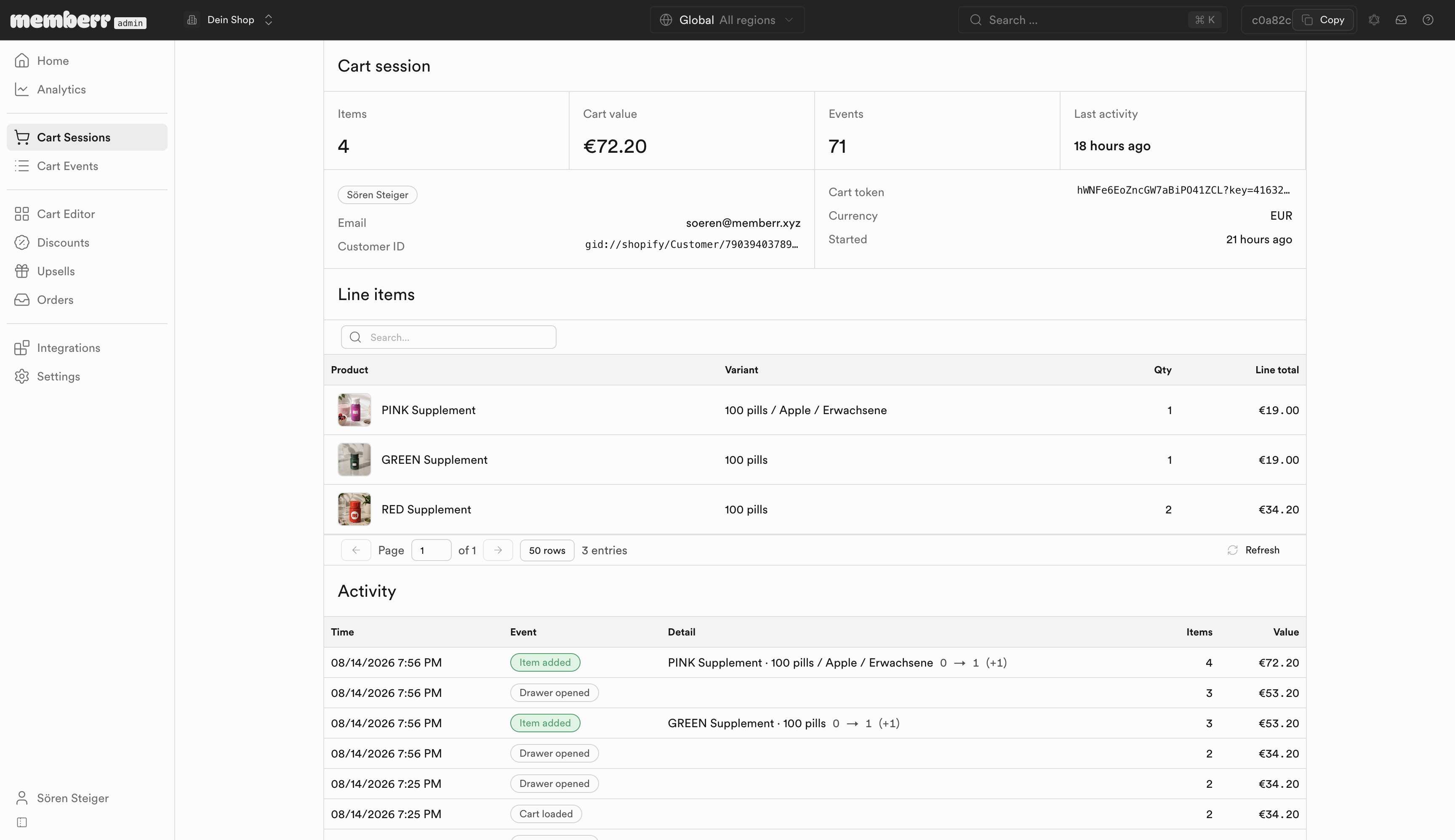
Summary
| Field | What it means |
|---|---|
| Items / Cart value | Current contents and total. |
| Events | Count of tracked interactions in this session. |
| Last activity | Relative time of the latest event. |
| Customer | Name, email, Shopify customer ID when logged in. |
| Cart token / Currency / Started | Session identifiers and start time. |
Line items and activity
The Line items table lists product, variant, quantity, and line total. Activity is a chronological log (for example item added, drawer opened, cart loaded) with items count and value after each event - useful for reconstructing how the cart grew or emptied before abandonment or checkout.