Upsells
Smart Upsells
Configure AI cart offers: traffic share, goals, discounts, placement, and exclusions.
Smart Upsells is an automatic recommendation engine for the cart drawer. It learns which products to offer and how much discount (if any) is needed - within the caps you set.
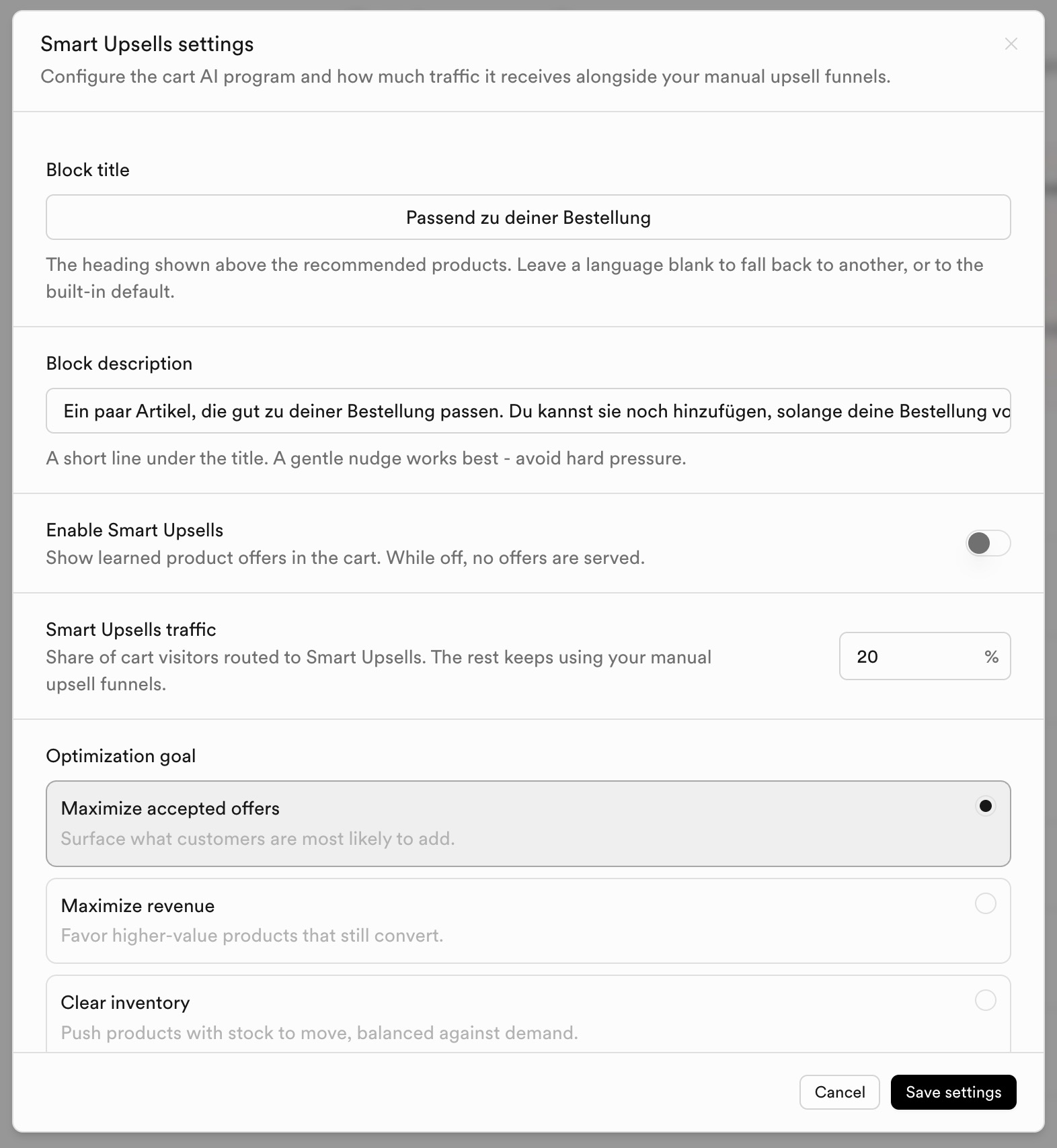
Core settings
| Setting | What it does |
|---|---|
| Enable Smart Upsells | Show learned offers in the cart. While off, no AI offers are served. |
| Smart Upsells traffic | Share of cart visitors routed to Smart Upsells; the rest keep manual funnels. |
| Block title / description | Heading and short line above recommended products. |
| Optimization goal | Maximize accepted offers, maximize revenue, clear inventory, or promote new products. |
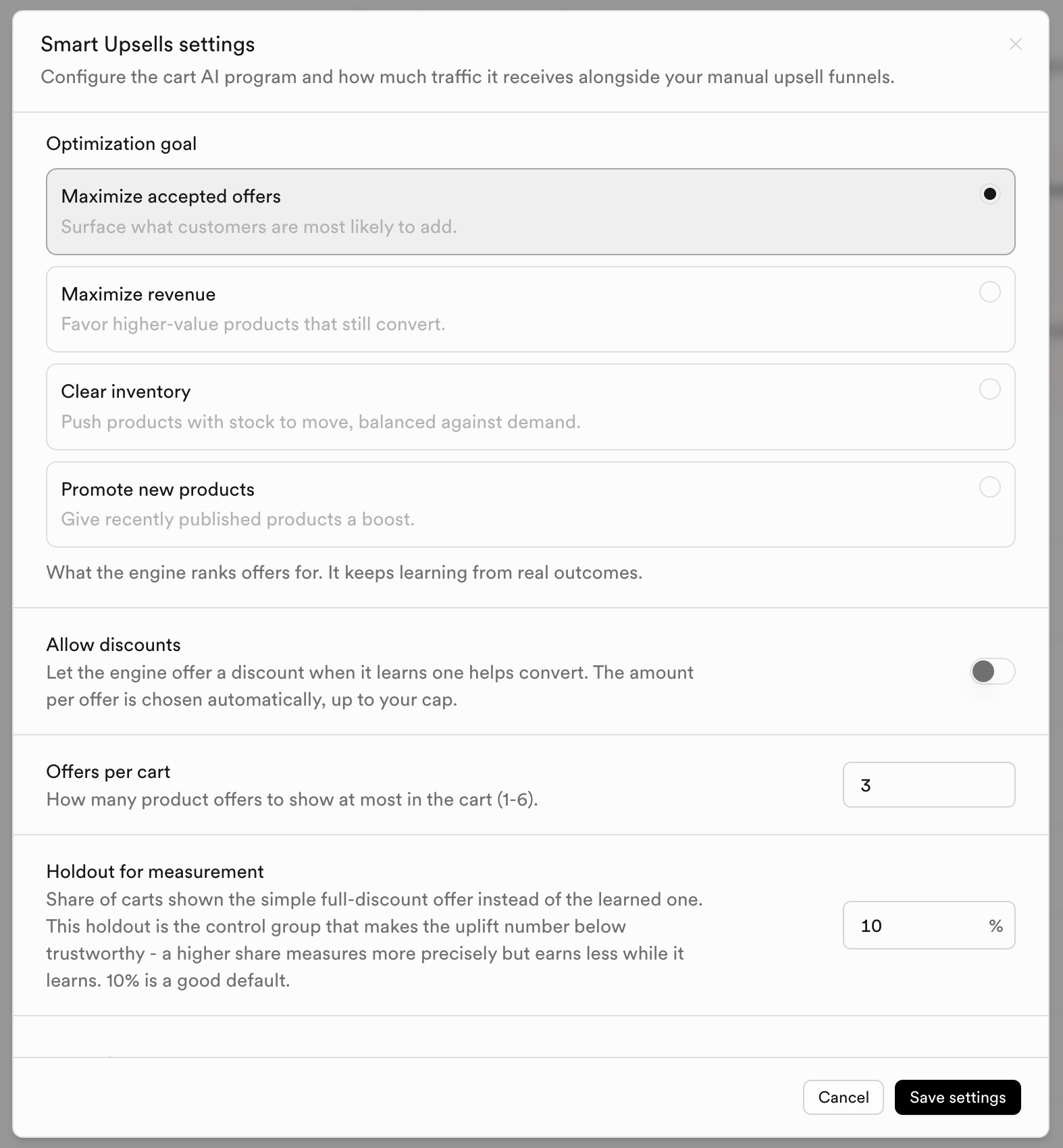
| Setting | What it does |
|---|---|
| Allow discounts / Maximum discount | Ceiling for learned discounts; engine starts at 0% and only discounts as needed. |
| Offers per cart | How many product offers to show at most (1-6). |
| Holdout for measurement | Share of carts shown a simple full-discount control offer for uplift measurement (10% is a good default). |
| Cart placement | Optional override of enable/traffic for cart only vs shared program settings. |
Eligibility and exclusions
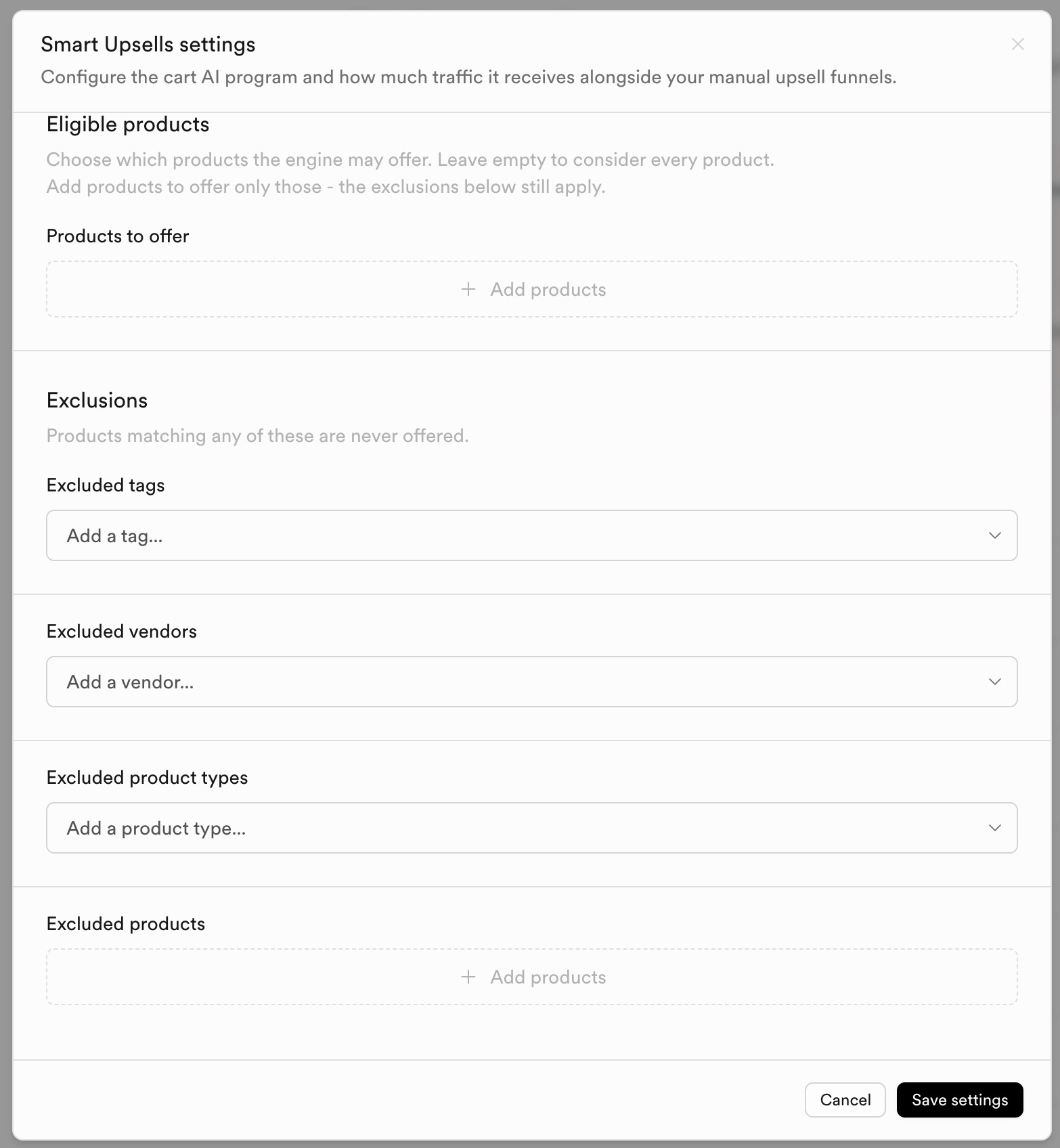
| Setting | What it does |
|---|---|
| Eligible products | Limit what the engine may offer; empty means consider the catalog (exclusions still apply). |
| Exclusions | Never offer products matching excluded tags, vendors, product types, or product IDs. |
Save from the modal to apply. Review performance under Upsells analytics and the Analytics → Upsells tab.