Cart editor
Blocks
Add and arrange cart drawer blocks: announcement, timer, progress bars, items, and upsells.
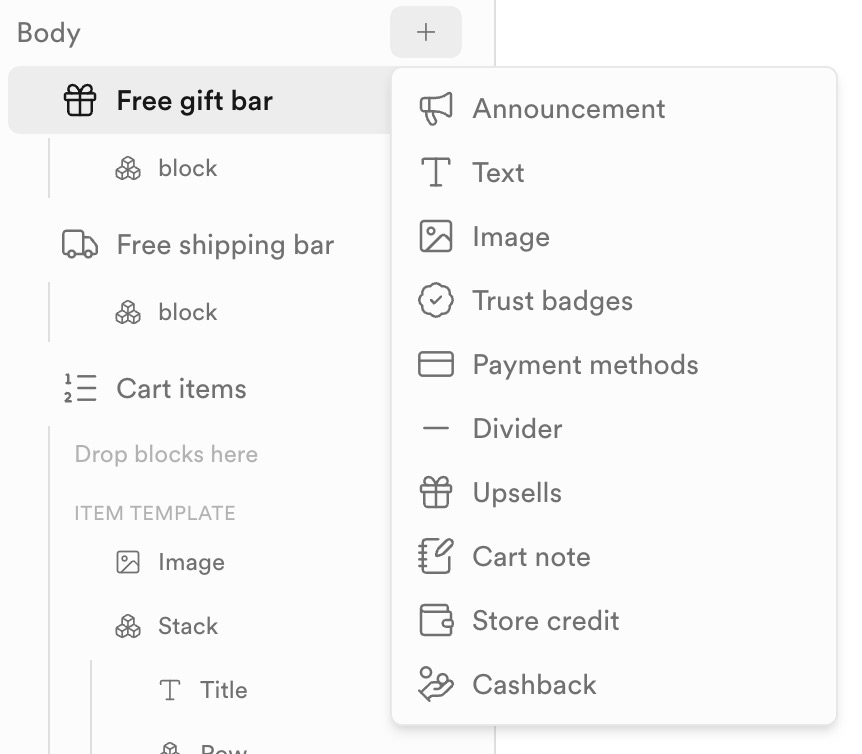
Use + on a Header or Body section to open the add-blocks menu and insert components into the tree.
Common blocks
| Block | Role |
|---|---|
| Announcement | Promo or notice strip in the header. |
| Title | Drawer heading (often includes item count). |
| Reserved cart timer | Urgency countdown (“Your cart is reserved for …”). |
| Free gift bar | Progress toward a free-gift threshold. |
| Free shipping bar | Progress toward free shipping (or unlocked state). |
| Cart items | Line-item list with an item template (image, title, quantity, price, remove). |
| Smart upsells | Heading + recommended products (driven by Smart Upsells / placement). |
Nest stacks and rows inside the item template to control how each line looks. After adding blocks, style them in the inspector and preview checkout CTA, savings, and upsell Add buttons in the live drawer.