Cart editor
Inspector, tokens, warnings
Edit block content and design, manage design tokens, and resolve editor warnings.
Inspector
Select a block in the tree or preview to open the Inspector. Content and design controls depend on the block type (for example a Title's copy vs colors, border, and shadow).
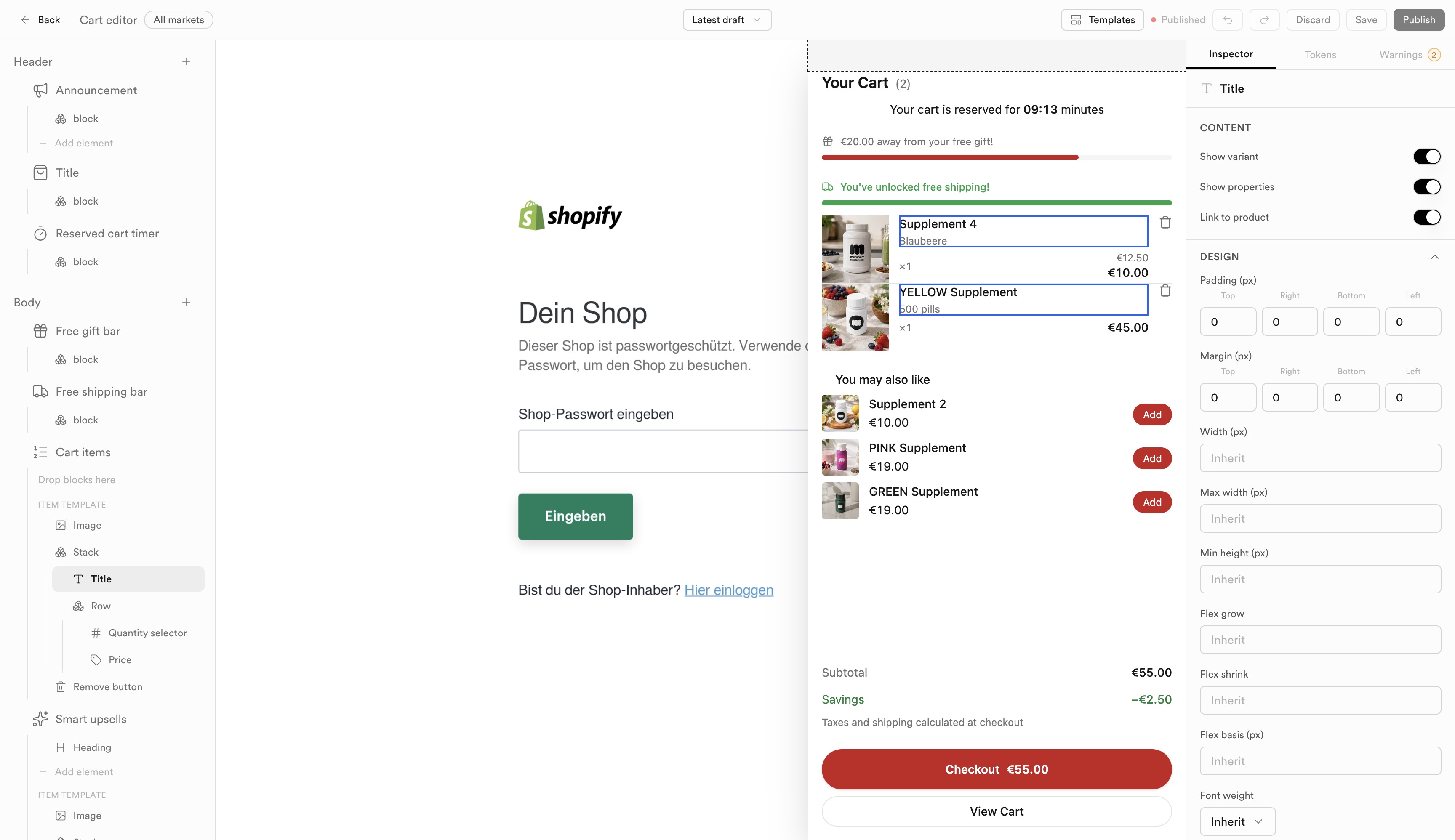
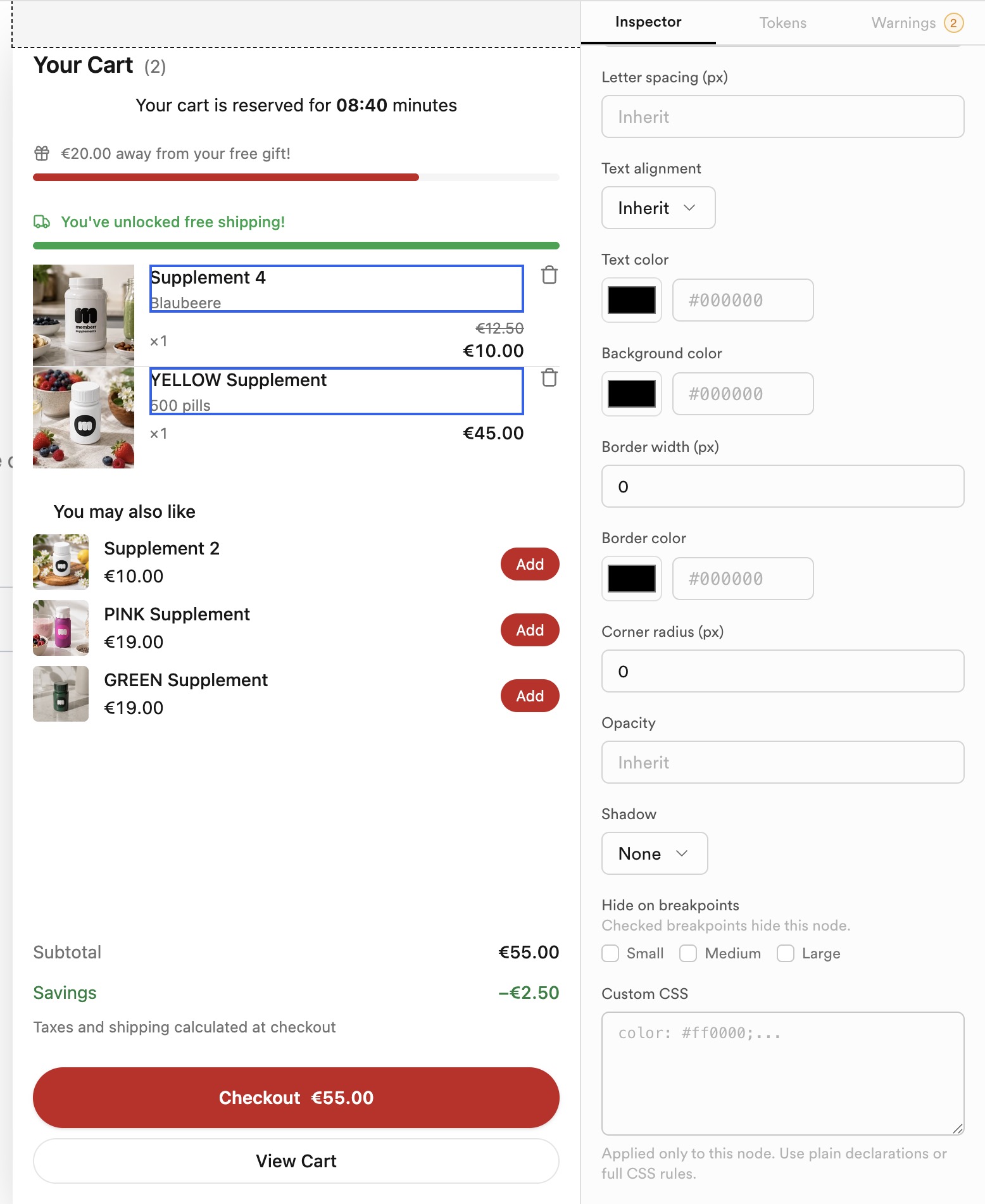
Design props typically cover colors, border, shadow, spacing, and optional custom CSS for fine control.
Tokens
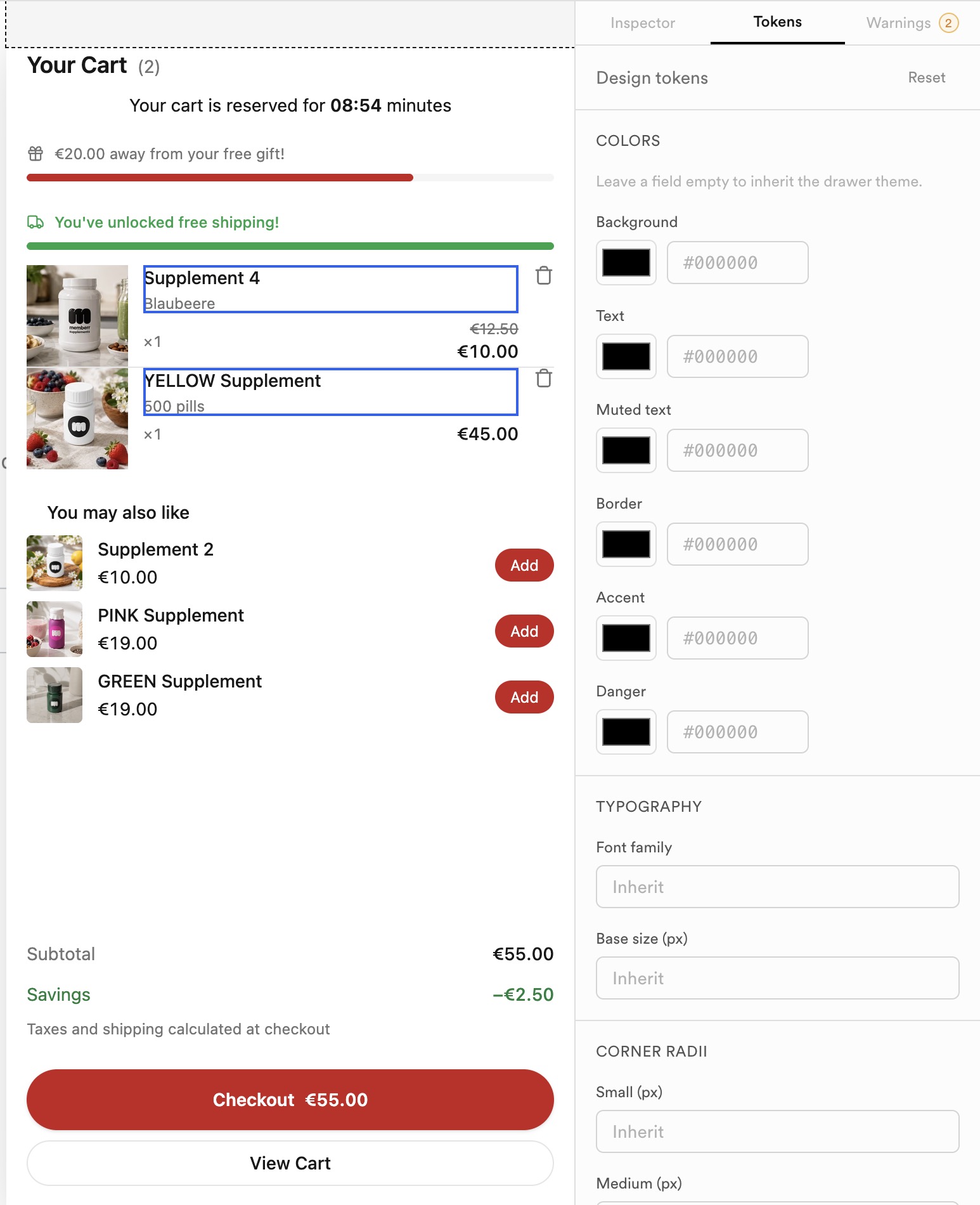
The Tokens tab holds shared design tokens (colors, typography, radii) so the drawer stays consistent without restyling every block by hand.
Warnings
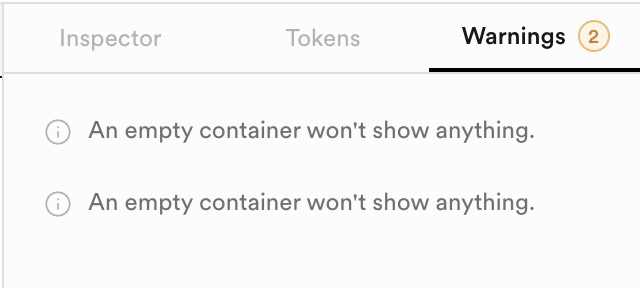
Warnings flag layout issues (for example an empty container that will not show anything on the storefront). Clear warnings before publishing when possible.