Quickstart
Enable cashback, show it on the product page, and verify the first transaction.
Cashback pays Store Credit after a successful purchase, as a percentage of the order (e.g. 5% of $100 → $5).
These settings apply only to credit earned through cashback. Referrals, reviews, campaigns, and other sources have their own amounts and expiry rules.
1. Enable and configure
In the memberr app, open Cashback → Settings:
- Turn cashback on
- Set the percentage
- Set availability delay (days until credit can be spent) - see Availability delay
- Optionally set expiry (days) - see Expiration
2. Show cashback on the product page
In the theme editor, open a product page and add the memberr Cashback block.
More options: On product page.
3. Verify
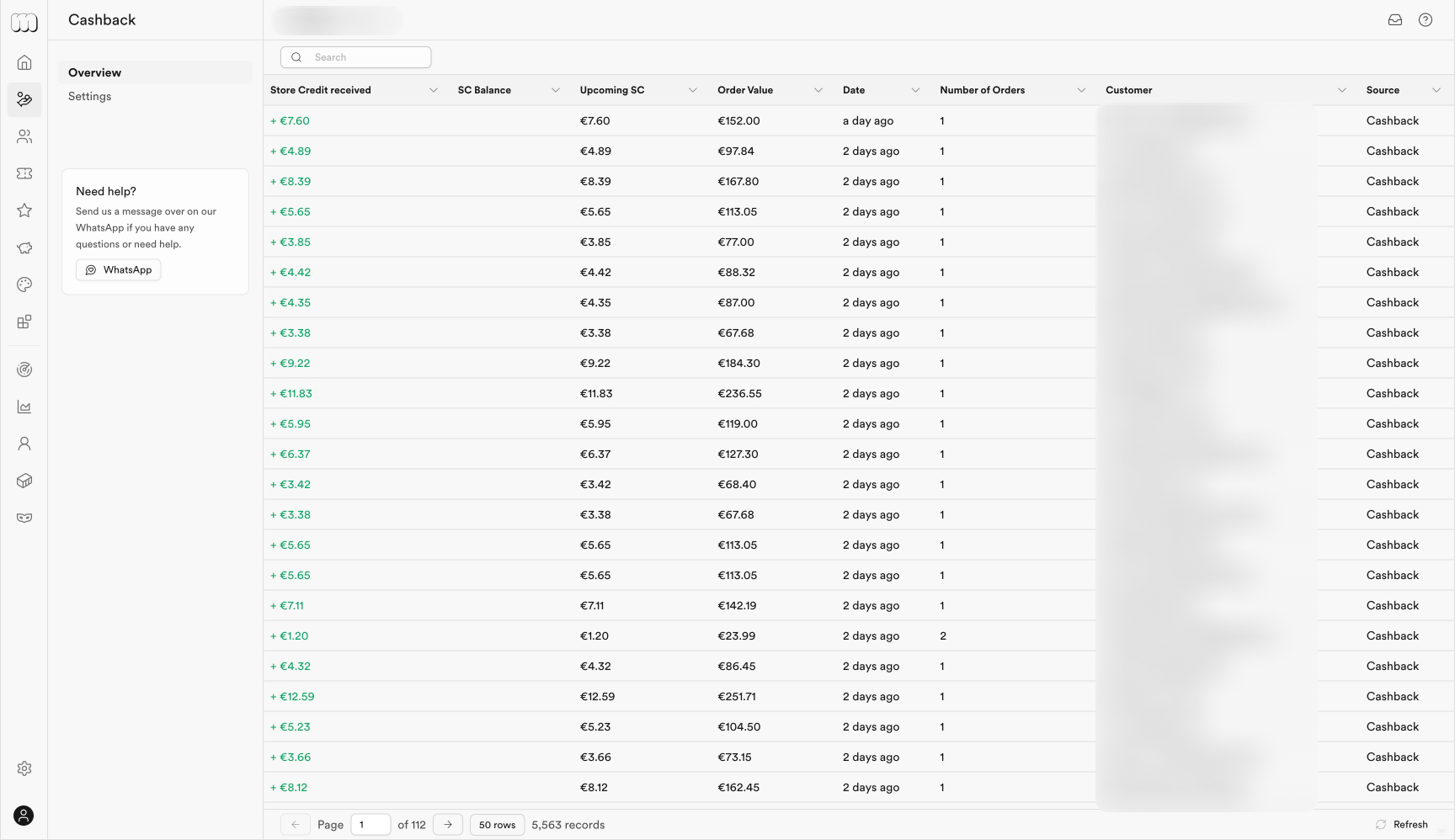
Place a test order (or use an existing eligible order). In Cashback → Overview, check the transactions table for the new cashback row (amount, upcoming vs available, order value, source).
Next: show earn amounts in the cart drawer, and set up redeeming so customers can spend the credit.