Customer portal
Manage subscription
Active subscription card, next billing, pause and skip confirmations.
From the customer account, subscribers open their Subscriptions view to see active contracts, next billing, and actions for the upcoming order.
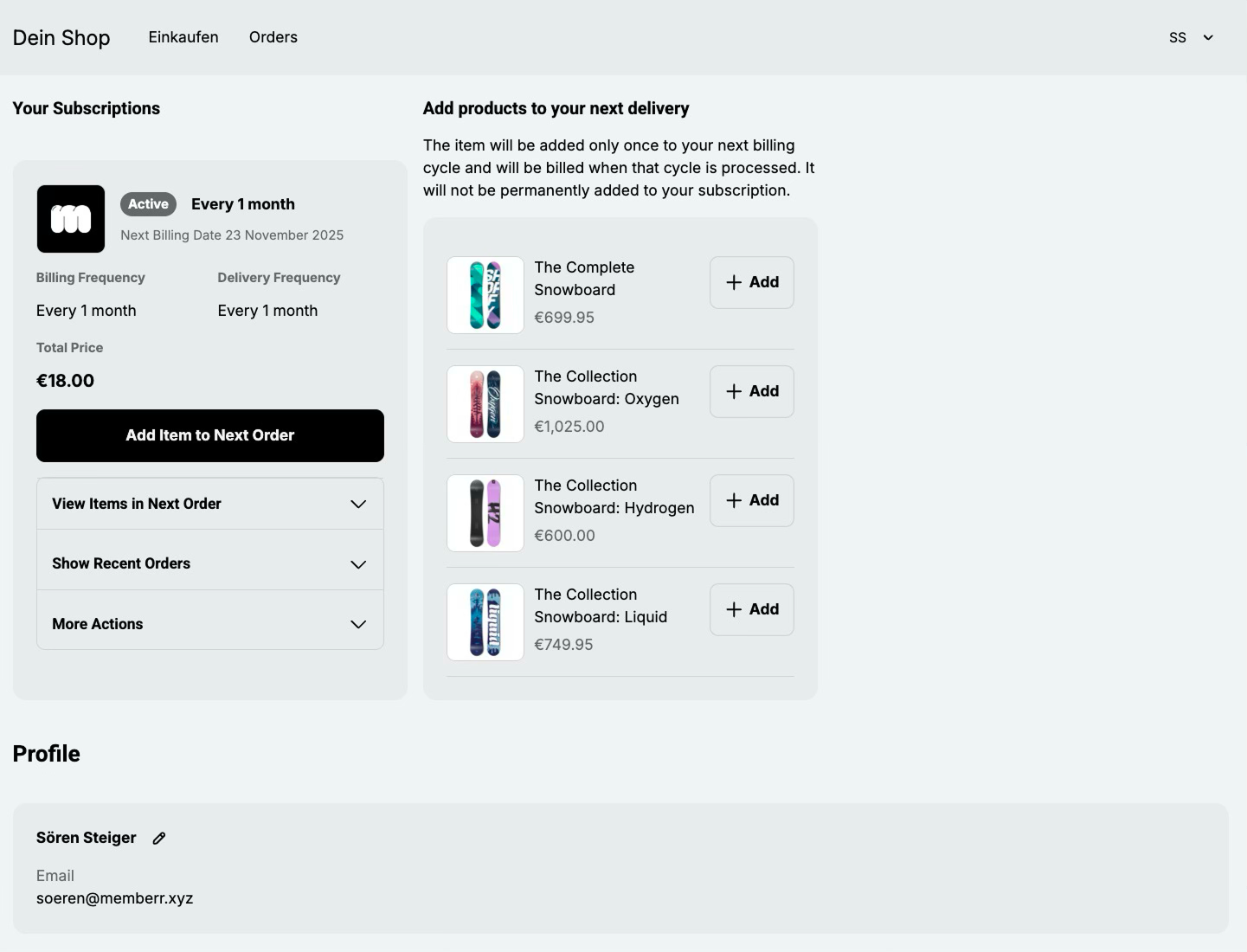
Active subscription card
Typical actions on an active card:
| Action | What it does |
|---|---|
| Next billing | Shows when the next charge / delivery is scheduled. |
| Add item to next order | One-time add-on for the upcoming delivery. |
| View items | Line items on the contract. |
| Recent orders | Past billed orders from this subscription. |
| More actions | Pause, skip, cancel, and related controls. |
Pause
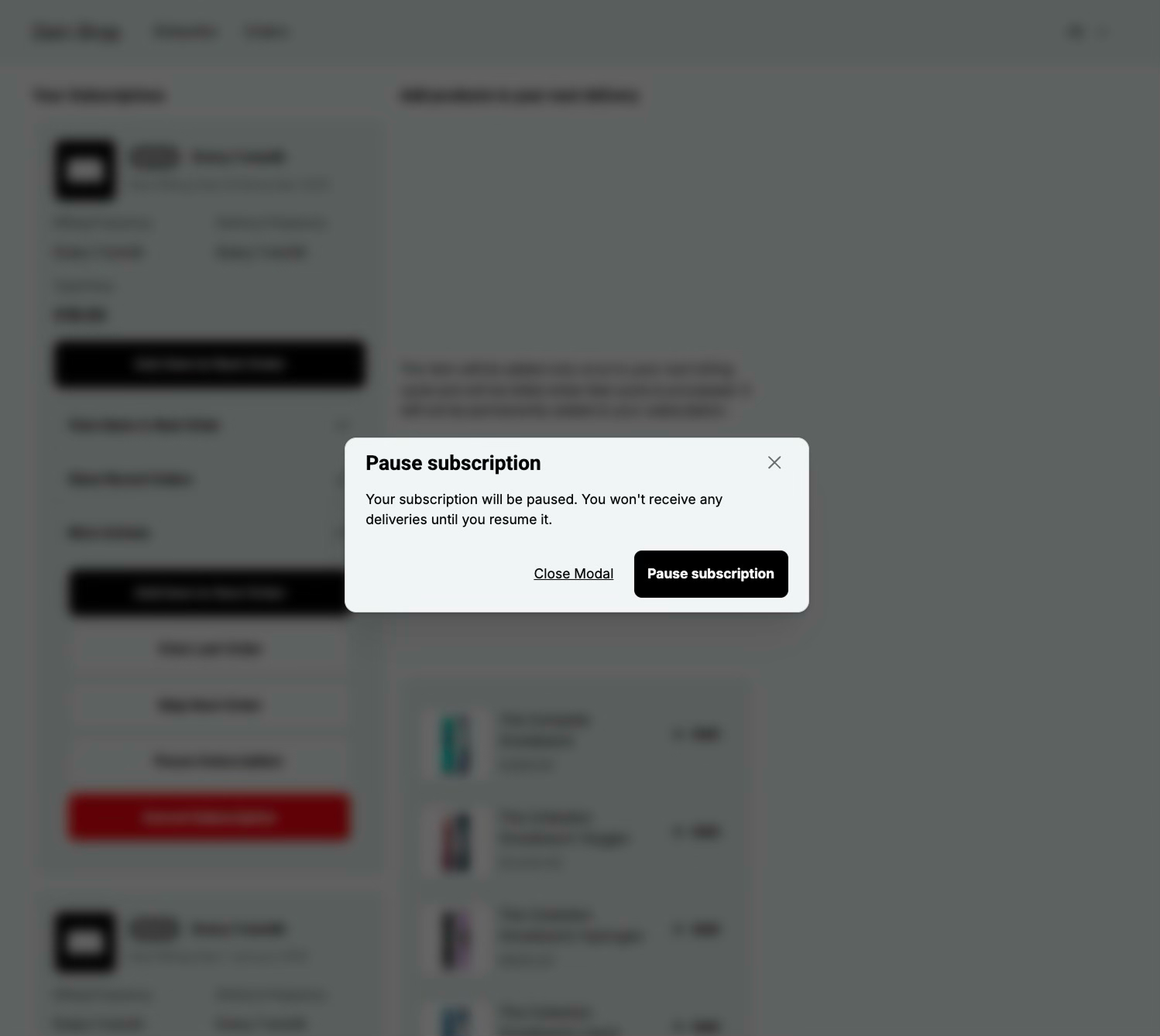
Pause confirms that billing stops until the subscriber (or your team in admin) resumes. Pending one-time add-ons may be preserved depending on the pause path.
Skip
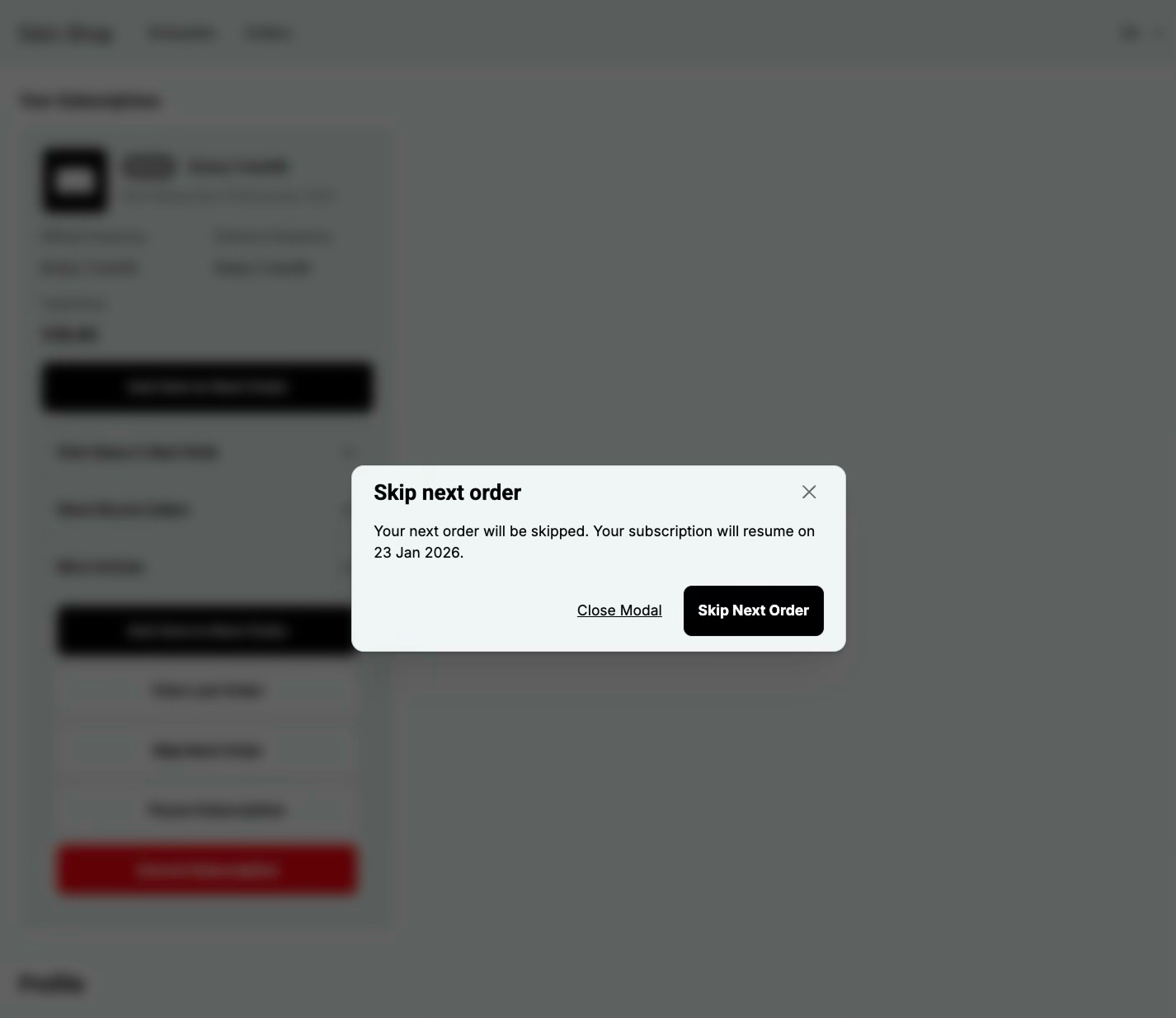
Skip jumps over the next billing cycle without cancelling the subscription - a lighter alternative to cancel when the customer only needs a break for one delivery.