Cancel and retention
Mobile cancel reason, sub-reason, and retention offer accept or cancel anyway.
When a subscriber chooses to cancel, the portal walks them through your Cancel flows: primary reason, optional sub-reason, then a retention treatment when one matches.
These frames are mobile-oriented; desktop follows the same steps.
Cancel reason
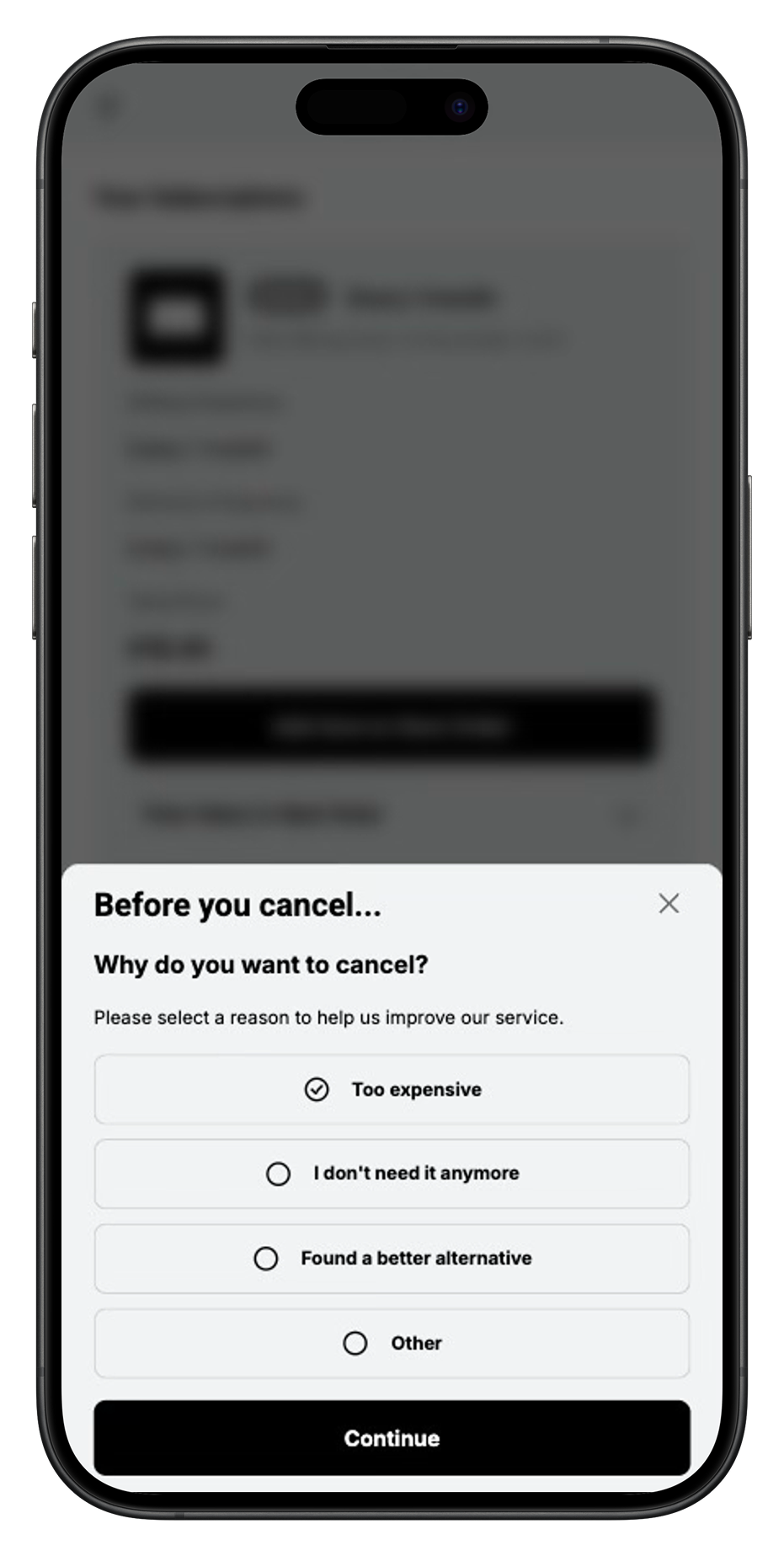
The customer picks a reason from the catalog you enabled (for example Too expensive, I don't need this anymore).
Sub-reason
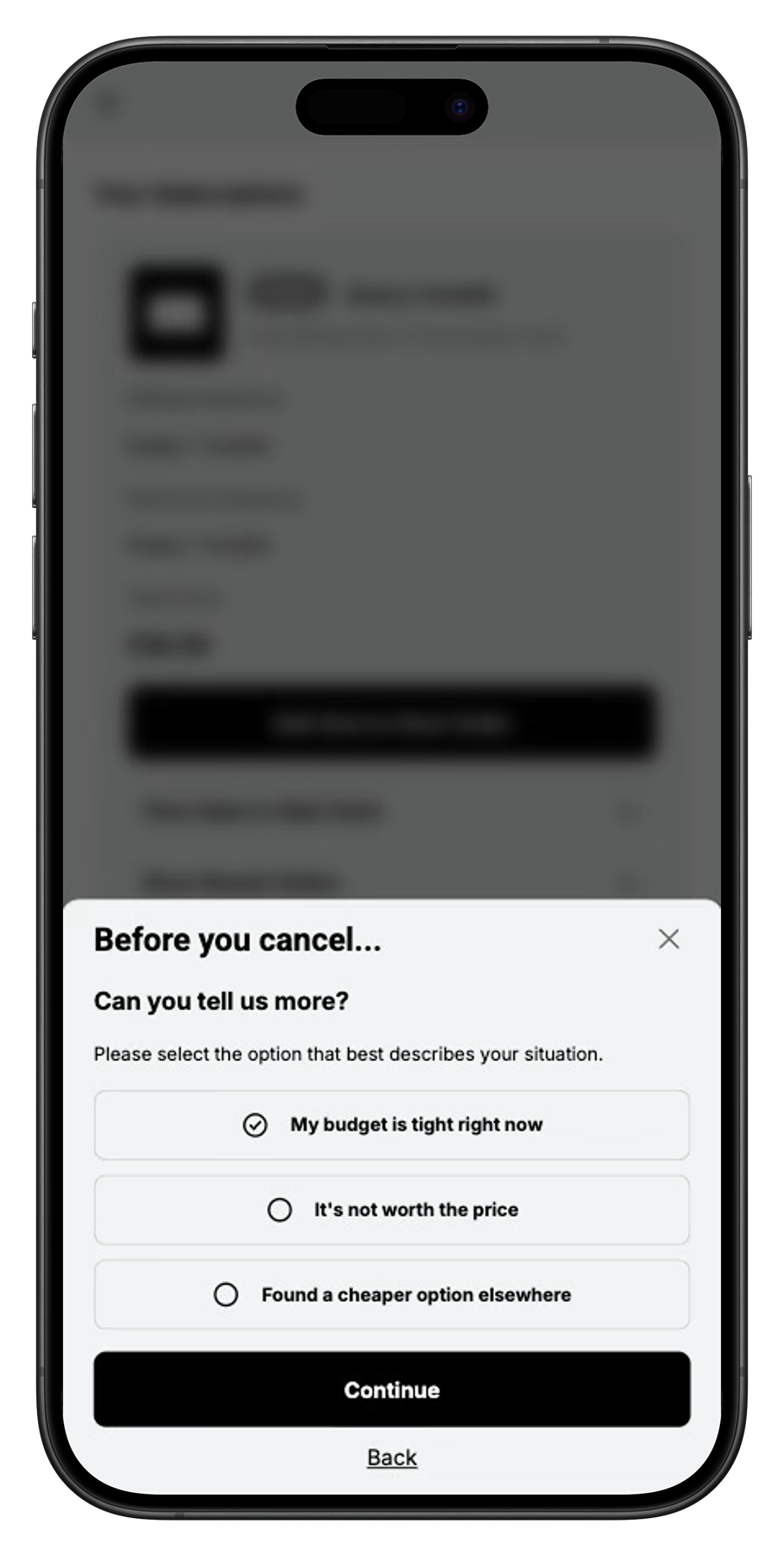
If the reason has sub-reasons enabled, the next screen narrows the answer (for example Found a cheaper alternative). That choice routes the flow and feeds Cancel flow analytics.
Retention offer
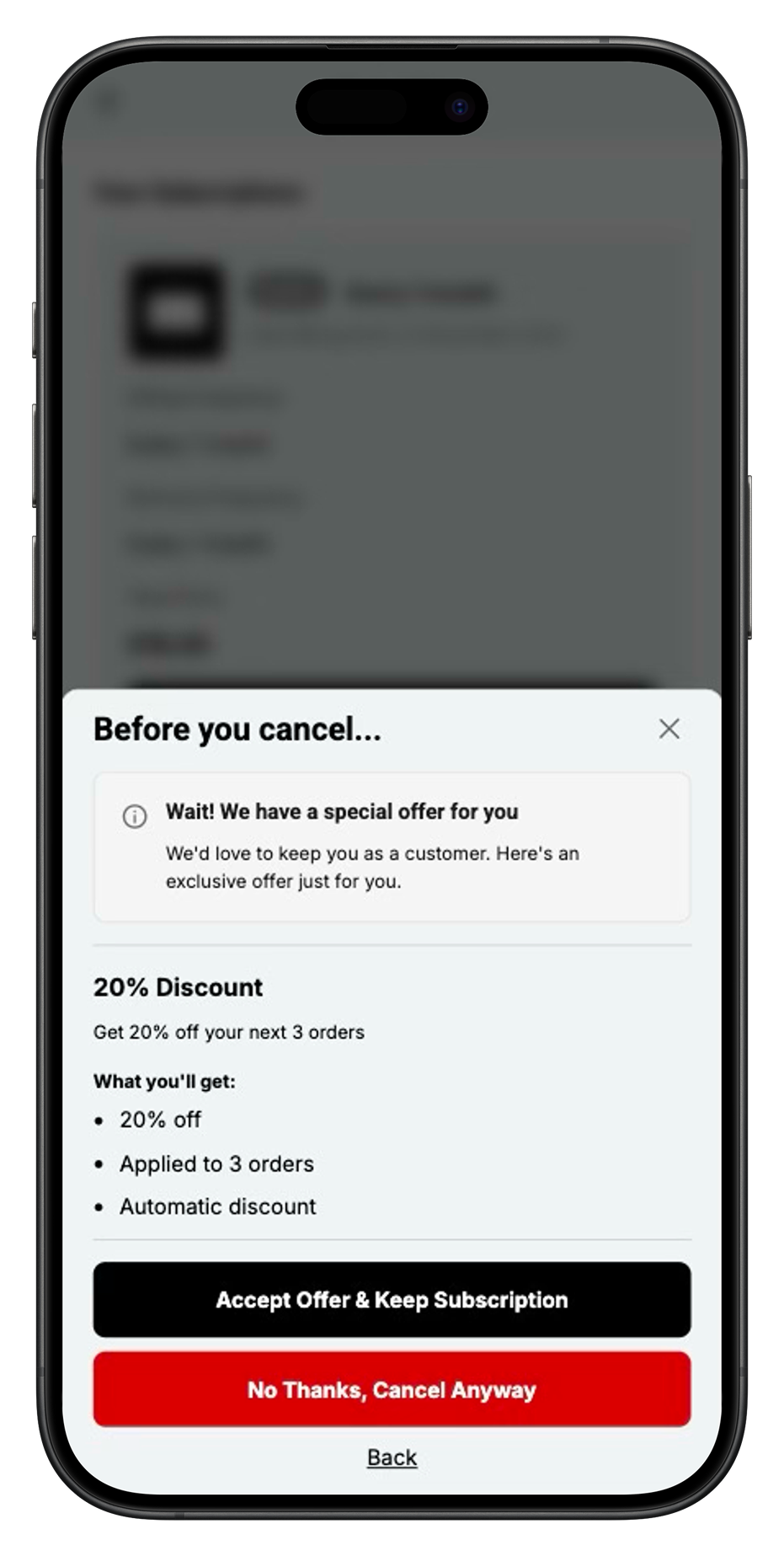
Matching treatments appear as a save offer (for example skip next order or shift the next date). The customer can accept the offer or cancel anyway. Accepts count as saves in analytics; declines complete the cancellation.
Admin
Author and prioritize treatments under Cancel flows. Support can still cancel or pause from Contract detail.
Incentive Engine
Pickable cancel context fields (reason, subReason): Cancel flow facts.