Cancel flows
Build retention flows with cancel reasons, conditions, and treatments.
Cancel flows run when a customer starts cancelling a subscription in the customer portal. Each flow maps reasons (and optional sub-reasons) to conditions and retention treatments.
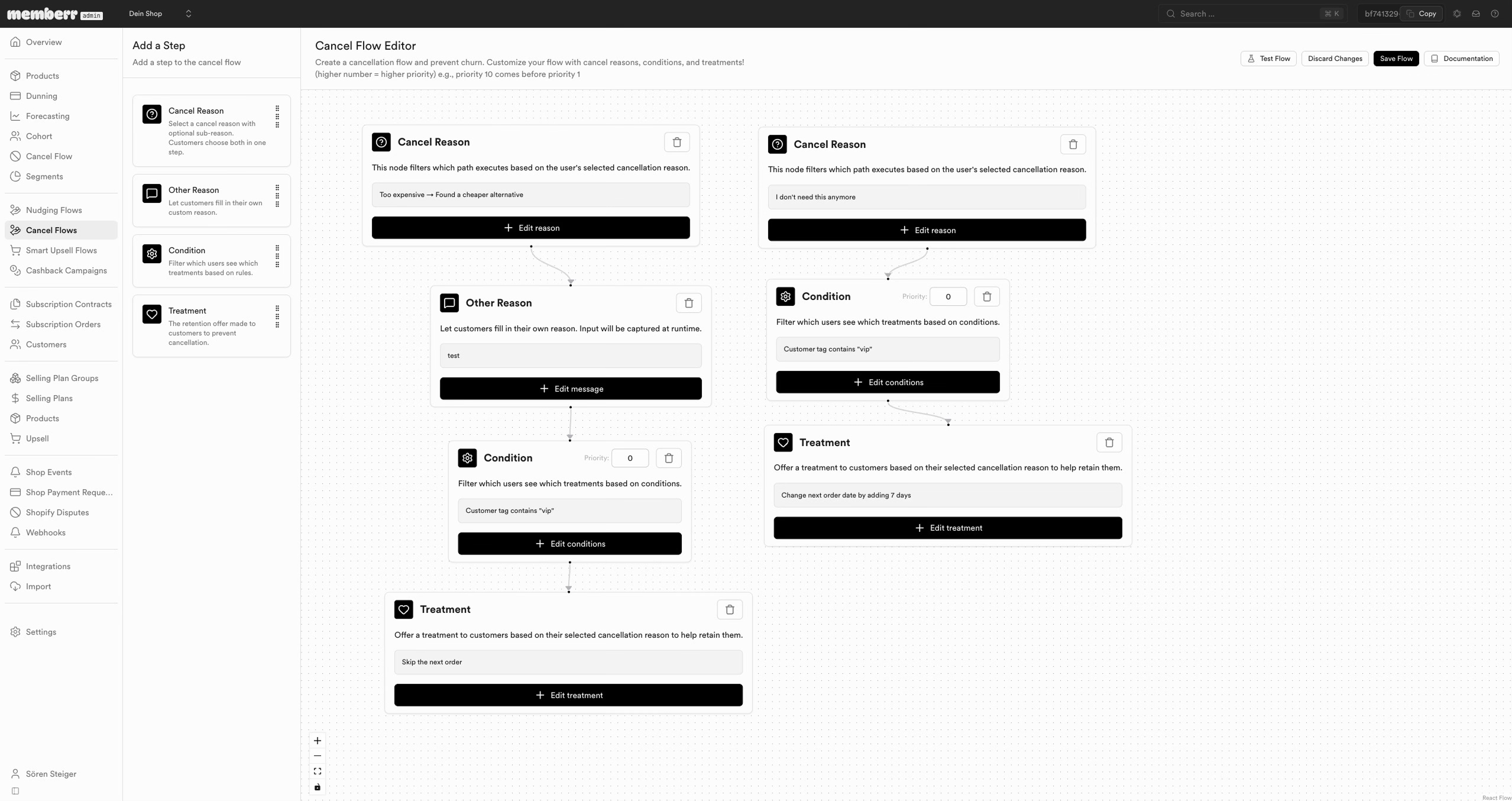
Editor steps
From Add a Step you can place:
| Step | Role |
|---|---|
| Cancel Reason | Branch on a catalog reason (and optional sub-reason) the customer selected. |
| Other Reason | Capture free-text / other feedback. |
| Condition | Narrow the audience (for example customer tag contains vip). Priority resolves overlapping matches. |
| Treatment | Retention offer - for example skip the next order, or shift the next order date by N days. |
Save the flow from the top bar (Test Flow, Discard Changes, Save Flow). Overview metrics on the flows list show cancel attempts, saves, and save rate.
Selecting reasons
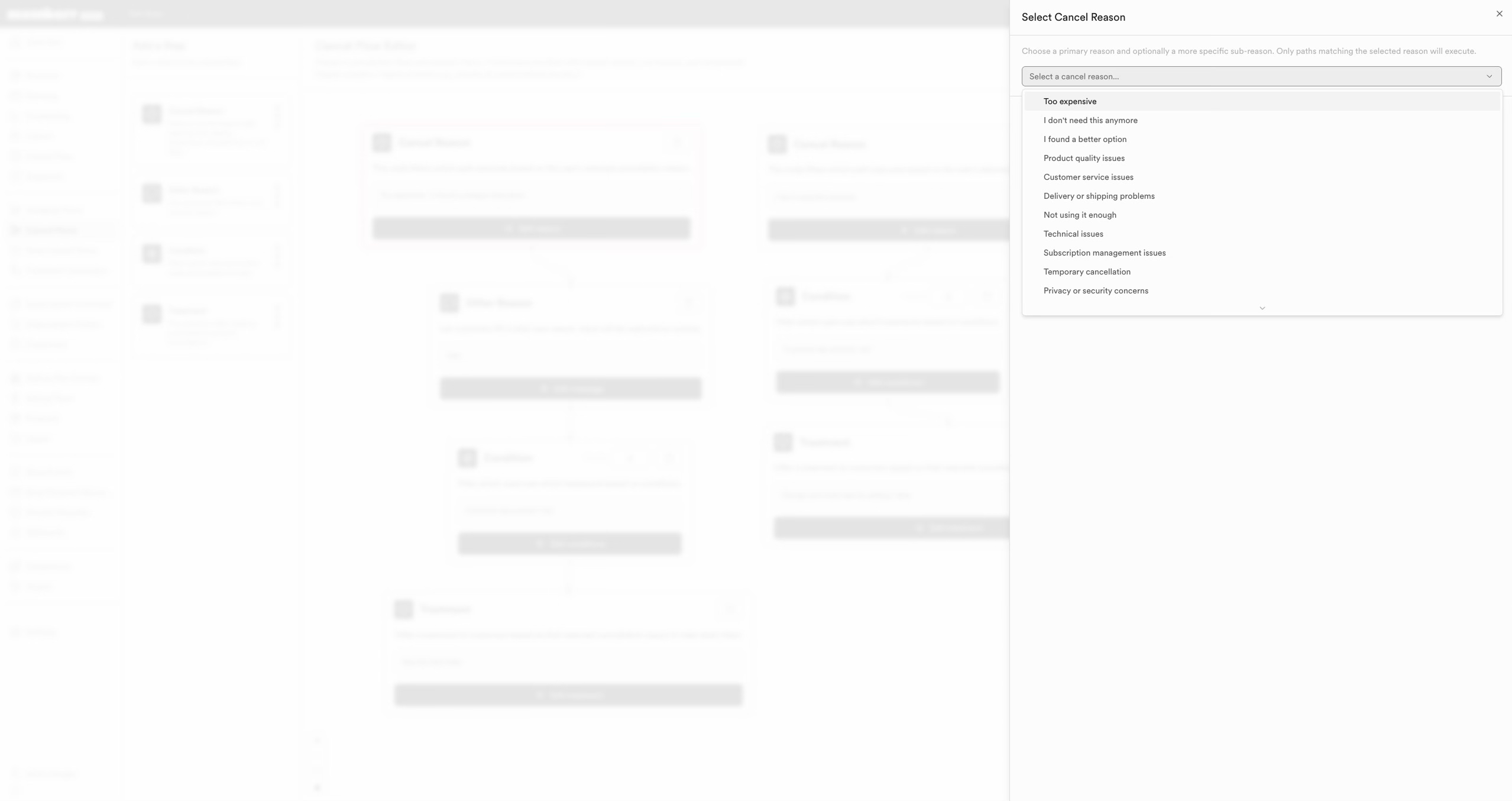
Reasons are configured under Cancel flows → Settings (Cancel reasons). The catalog includes common churn drivers such as Too expensive, I don't need this anymore, Delivery or shipping problems, and Other Reason. Enabling a reason makes it available in the portal and routes analytics.
Sub-reasons
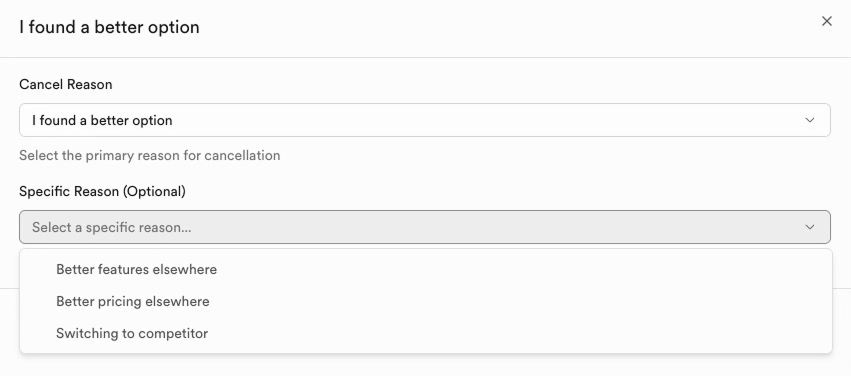
Sub-reasons refine a parent reason (for example Too expensive → Found a cheaper alternative / Budget constraints). They power more precise treatments and appear in Cancel flow analytics.
Tip
Match treatments to the reason: price objections often respond to a skip or date shift; "don't need it anymore" may need a pause-style outcome rather than a discount.
Incentive Engine reference
Cancel flows share the Incentive Engine condition builder and retention offer kinds.