CustomizeRedeeming Store Credit
UpCart
How to implement memberr Store Credit with UpCart-Cart Drawer.
Settings
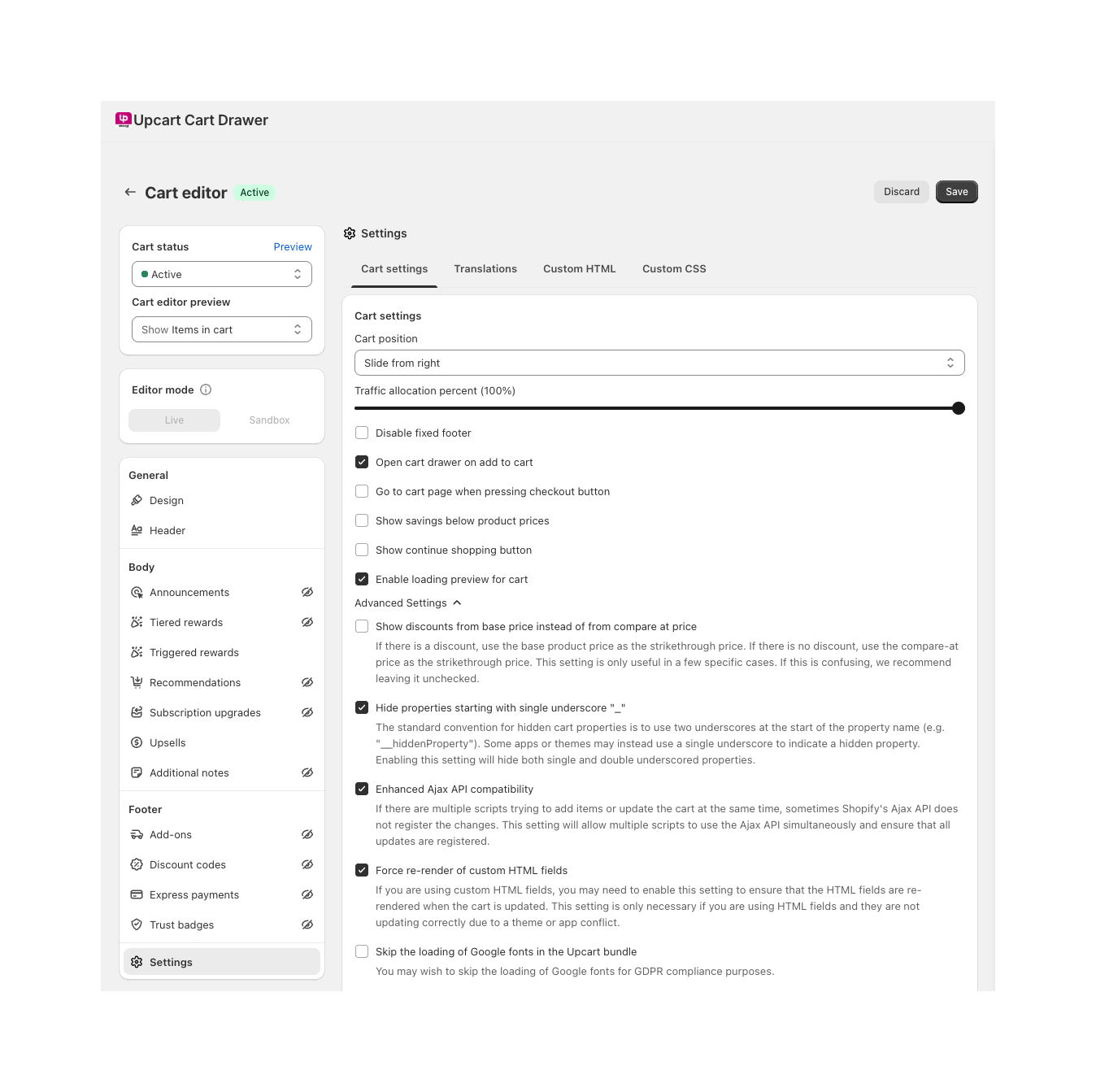
Important: If you want to display the cashback amount a customer will receive in your cart, activate the following settings:
- Enhanced Ajax API compatibility
- Force re-render of custom HTML fields
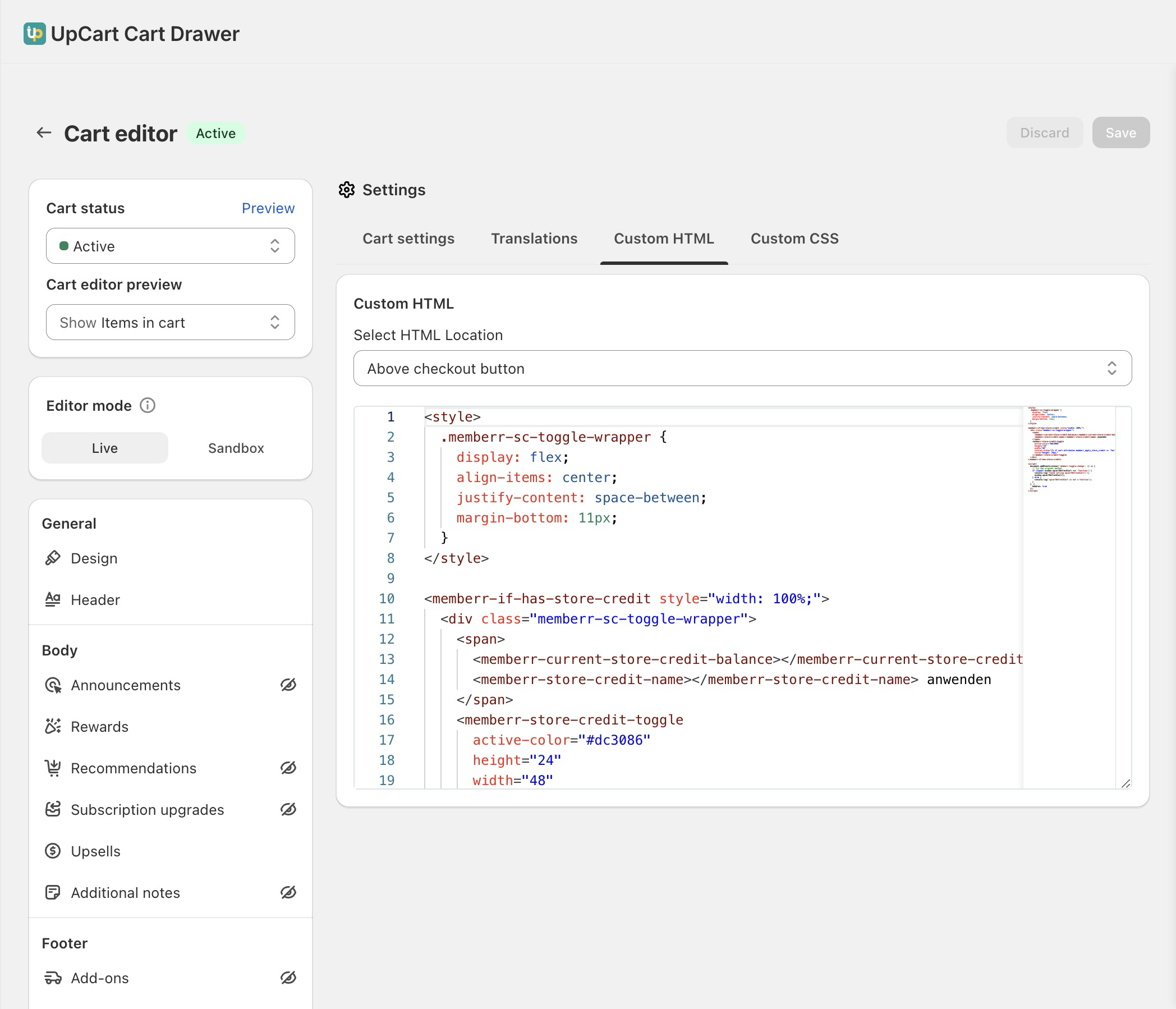
Code
Show Code
<style>
  .memberr-sc-toggle-wrapper {
    display: flex;
    align-items: center;
    justify-content: space-between;
    margin-bottom: 11px;
  }
</style>

<memberr-if-has-store-credit style="width: 100%;">
  <div class="memberr-sc-toggle-wrapper">
    <span>
      <memberr-current-store-credit-balance></memberr-current-store-credit-balance>
      <memberr-store-credit-name></memberr-store-credit-name> anwenden
    </span>
    <memberr-store-credit-toggle
      active-color="#000000"
      height="24"
      width="48"
      initial-state="{% if cart.attributes.memberr_apply_store_credit == 'Yes' %}true{% else %}false{% endif %}"
      style="height: 24px;"
    ></memberr-store-credit-toggle>
  </div>
</memberr-if-has-store-credit>

<script>
  document.addEventListener('memberr-toggle:change', () => {
    // refresh the UpCart Cart using the UpCart Cart API
    if (typeof window.upcartRefreshCart === 'function') {
      window.upcartRefreshCart();
    } else {
      console.log('upcartRefreshCart is not a function, please check if the UpCart Cart API is loaded');
    }
  }, {
    bubbles: true
  });
</script>