Flow builder
Build Thank You or post-purchase upsell flows with conditions, A/B splits, and upsell steps.
The flow builder is a canvas editor for authored upsell funnels. Create a flow from Upsells → Thank You page or Upsells → Post-purchase page - those are separate lists. The surface you start from locks the trigger; a Thank You flow never runs on the post-purchase interstitial and vice versa.
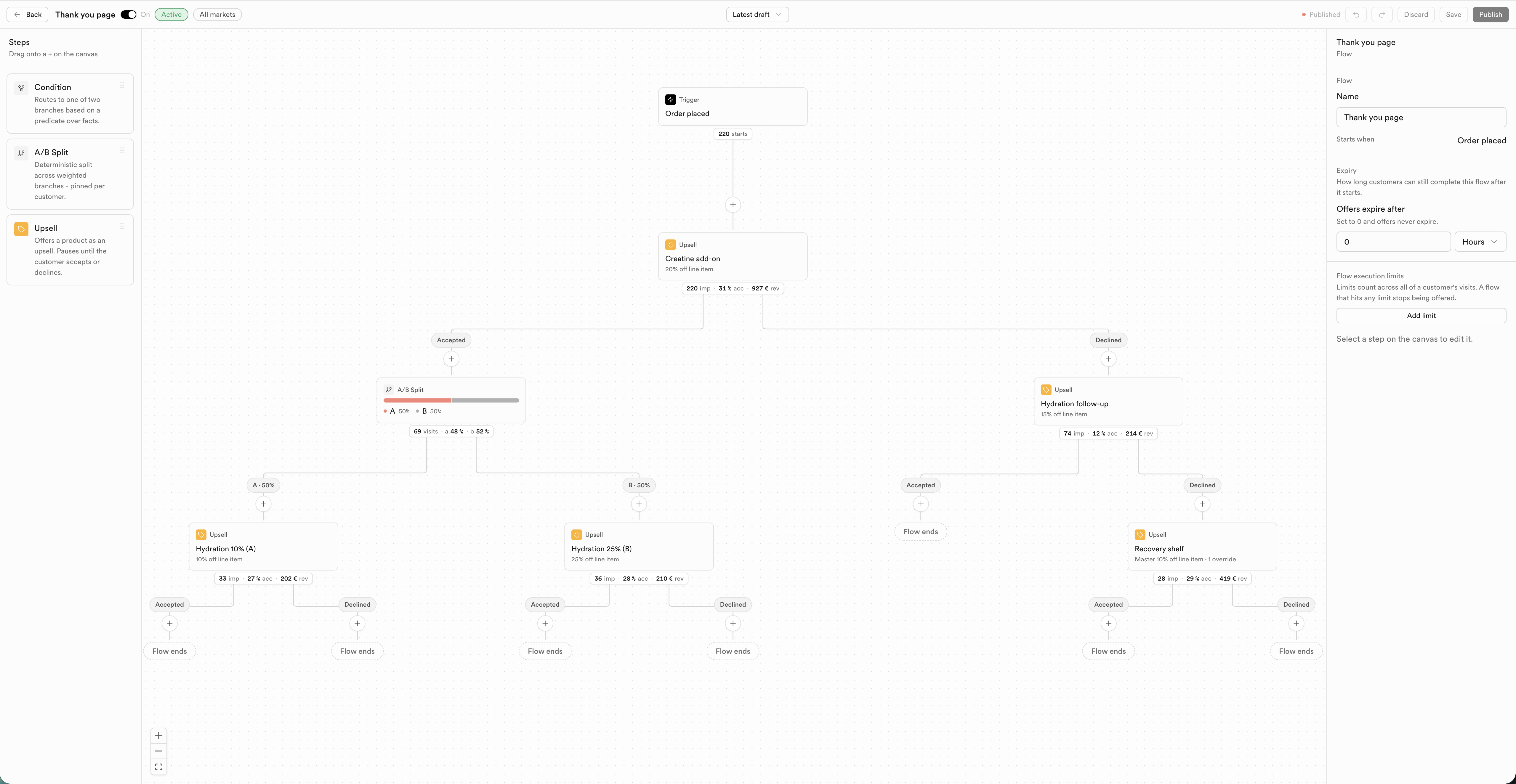
Shell actions
| Control | What it does |
|---|---|
| On / Off | Activates or pauses the published flow |
| Save | Saves the current draft |
| Publish | Publishes the draft so it can run |
| Discard | Drops unpublished changes |
| Markets | Scope which markets the flow targets |
| Latest draft | Version / draft picker |
Steps
Drag onto a + on the canvas (or from the left Steps panel):
| Step | What it does |
|---|---|
| Condition | Routes the flow into two branches based on a predicate over facts (customer profile, order, etc.) |
| A/B Split | Deterministic split of traffic across weighted branches, pinned per customer |
| Upsell | Offers a product as an upsell and pauses until the customer accepts or declines |
Canvas nodes show live stats (starts, impressions, accept rate, revenue) once the flow has traffic.
Triggers
| Surface | Admin path | Trigger label | When it fires | Customer accept |
|---|---|---|---|---|
| Thank You page | Upsells → Thank You page | Order placed | On the confirmation / Thank You page | Add to order |
| Post-purchase page | Upsells → Post-purchase page | Payment completed | On Shopify's interstitial before Thank You | Pay now (immediate charge) |
You cannot change a flow from one surface to the other after creation - create it under the correct menu.
Upsell step editor
Select an Upsell step to open the Offer and Design tabs. The right side shows a live preview of the customer offer.
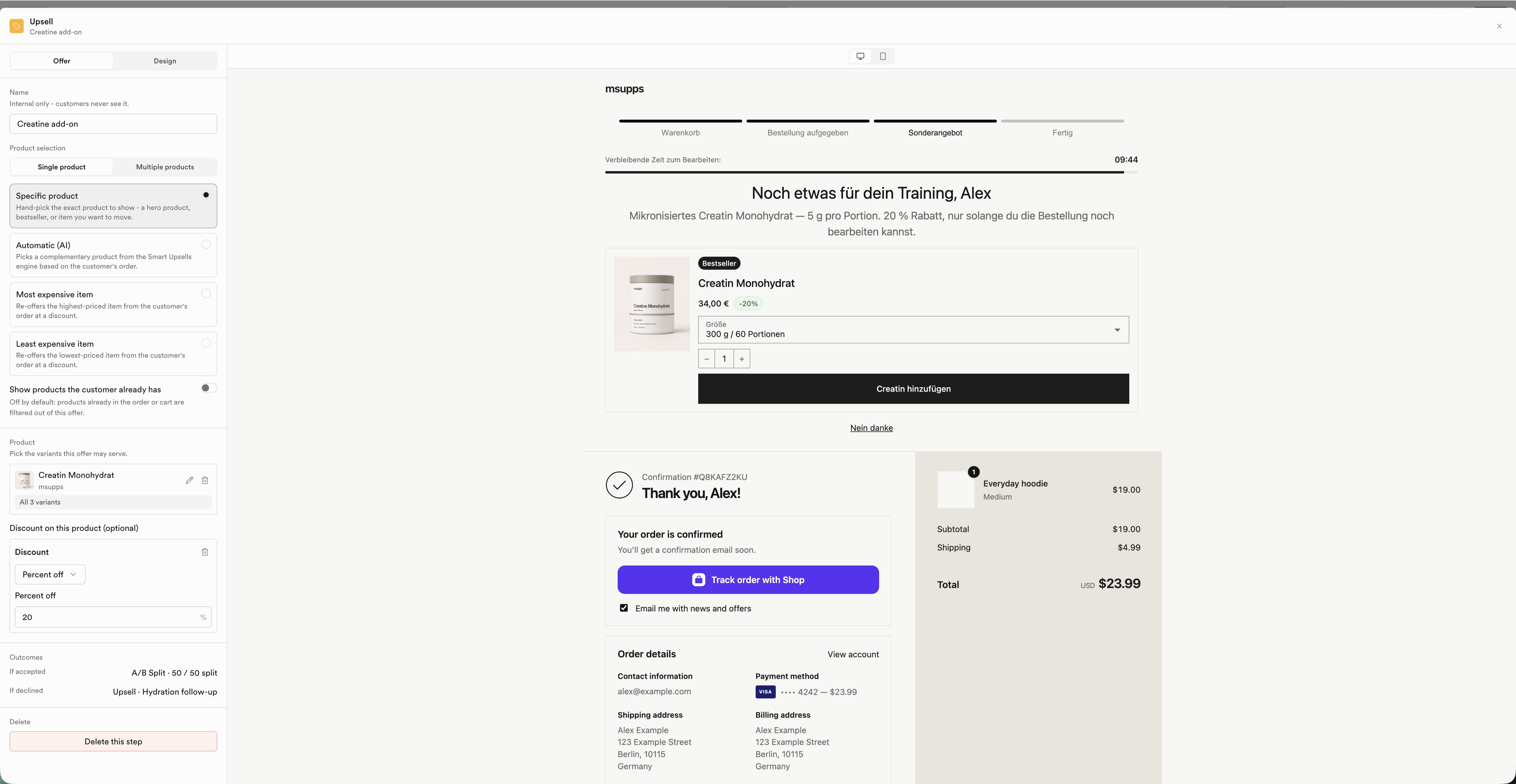
Offer tab
Configure product source, discount, and accept/decline outcomes. Single-product example:
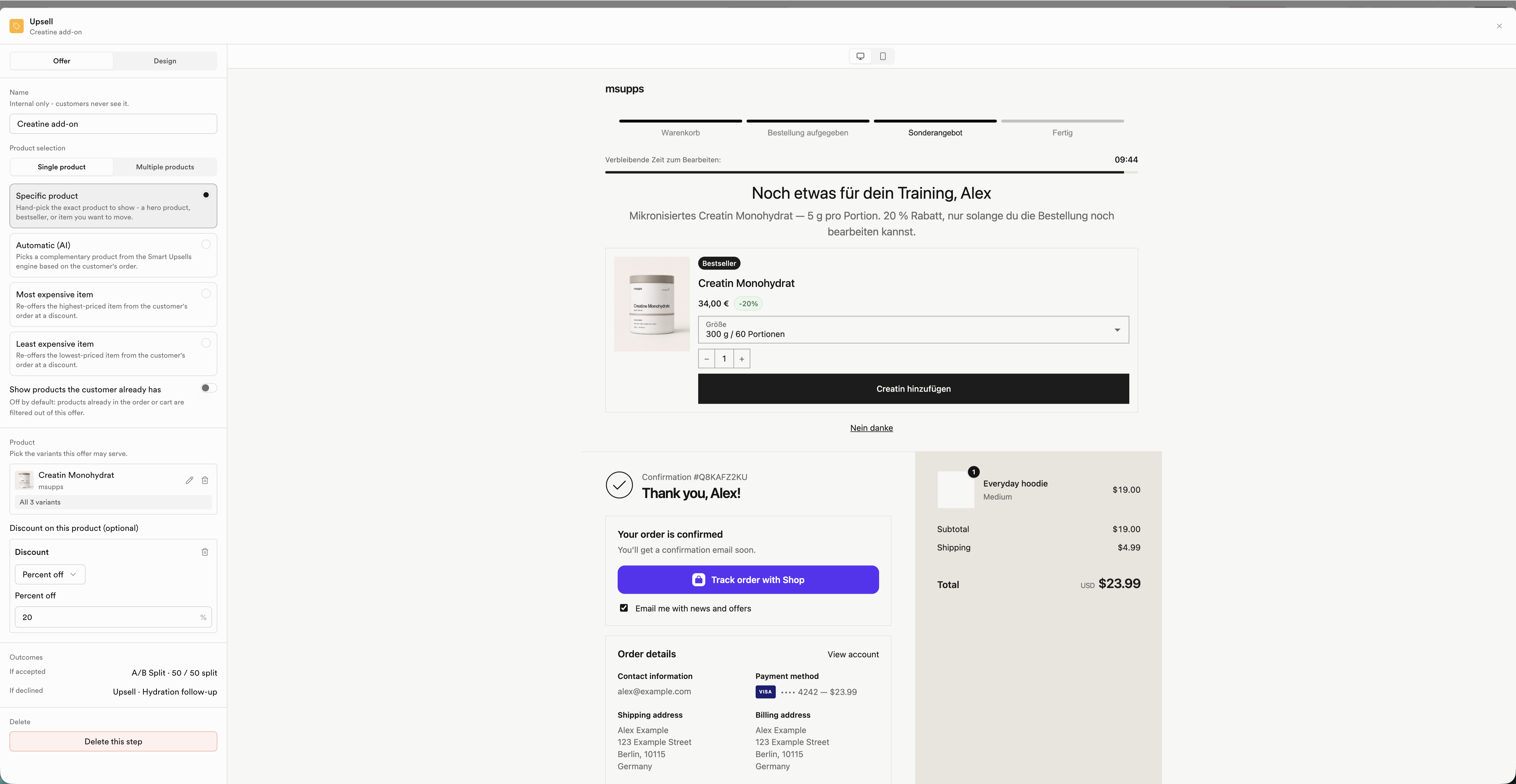
Multi-product example (Specific products list + grid preview):
Design tab
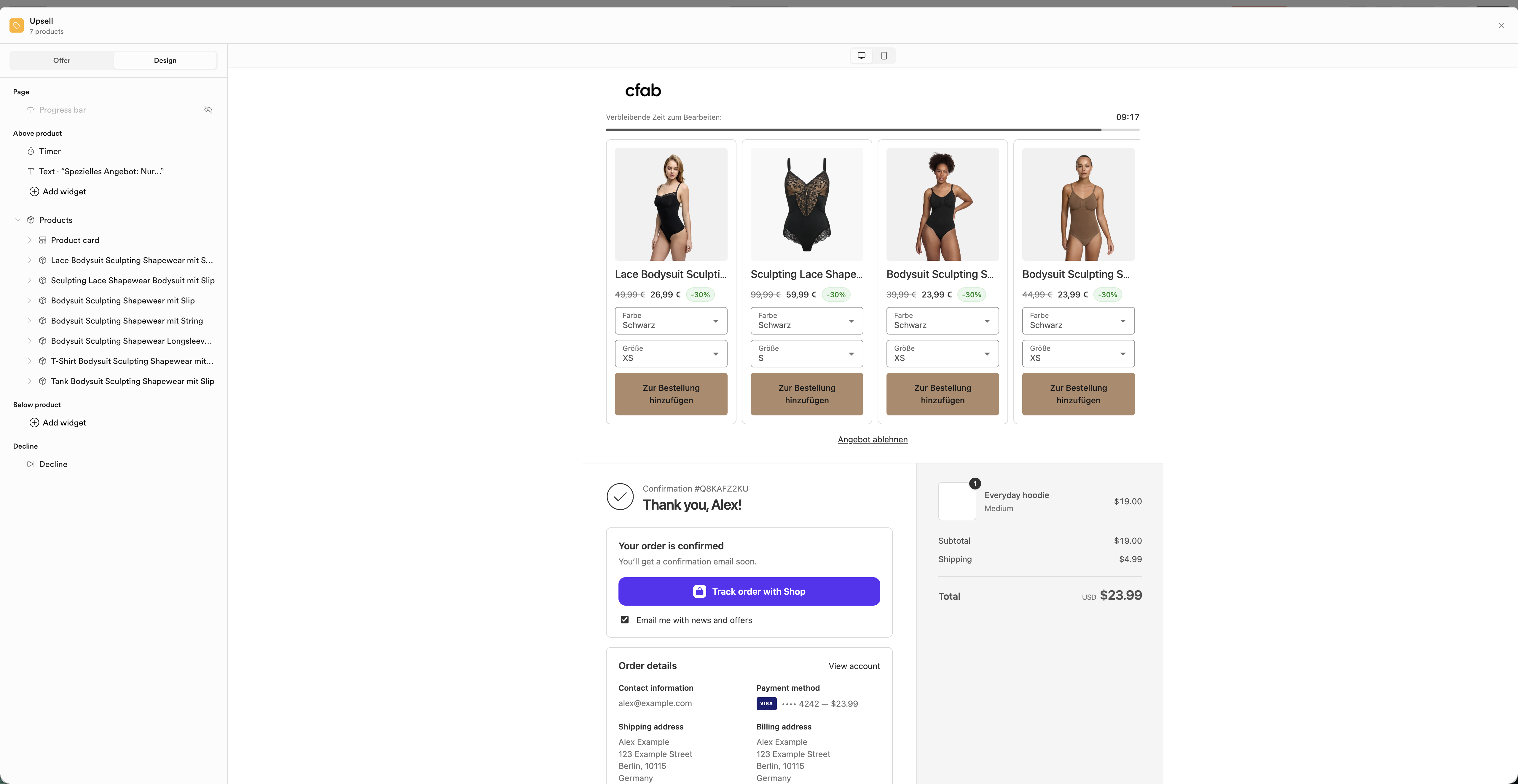
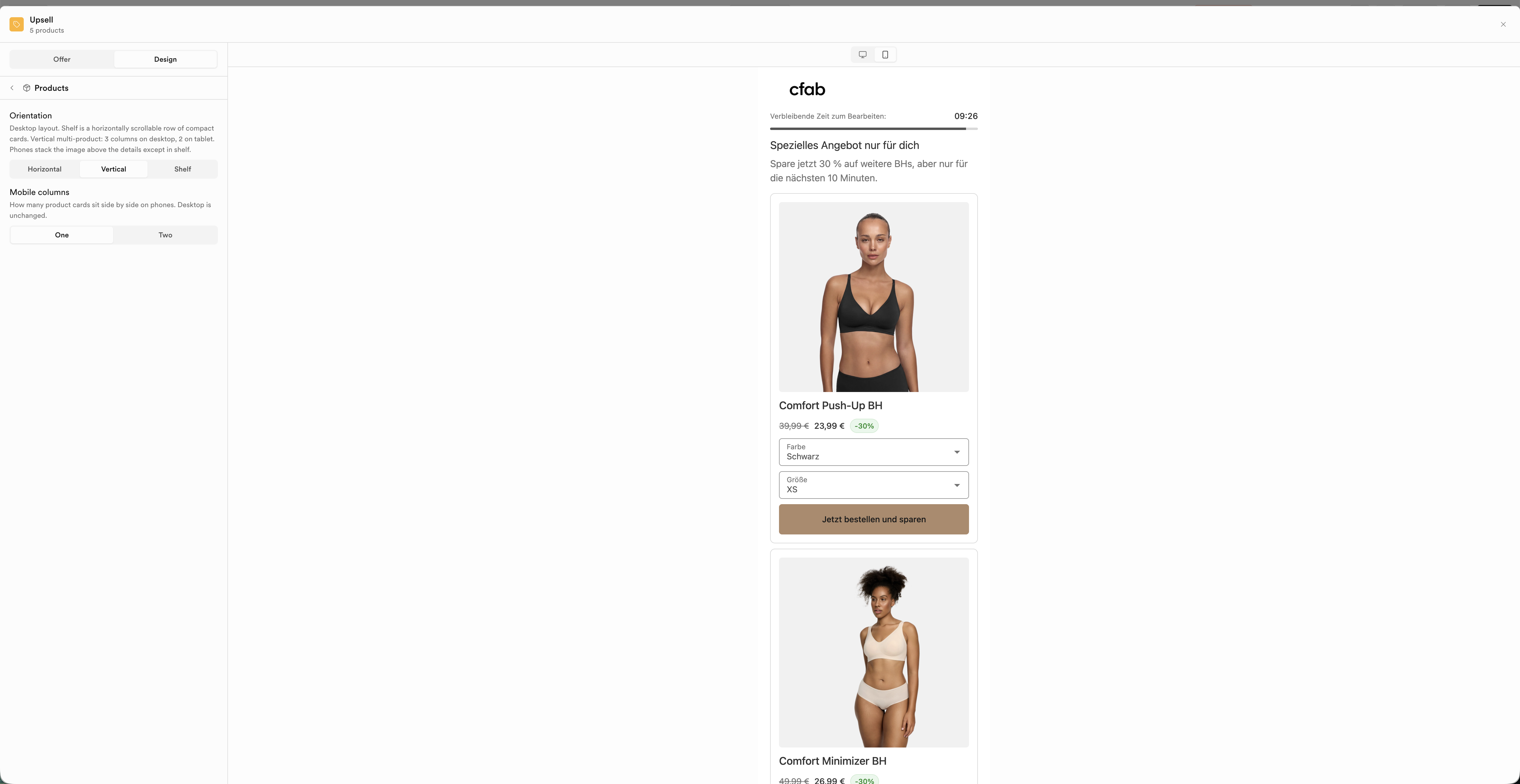
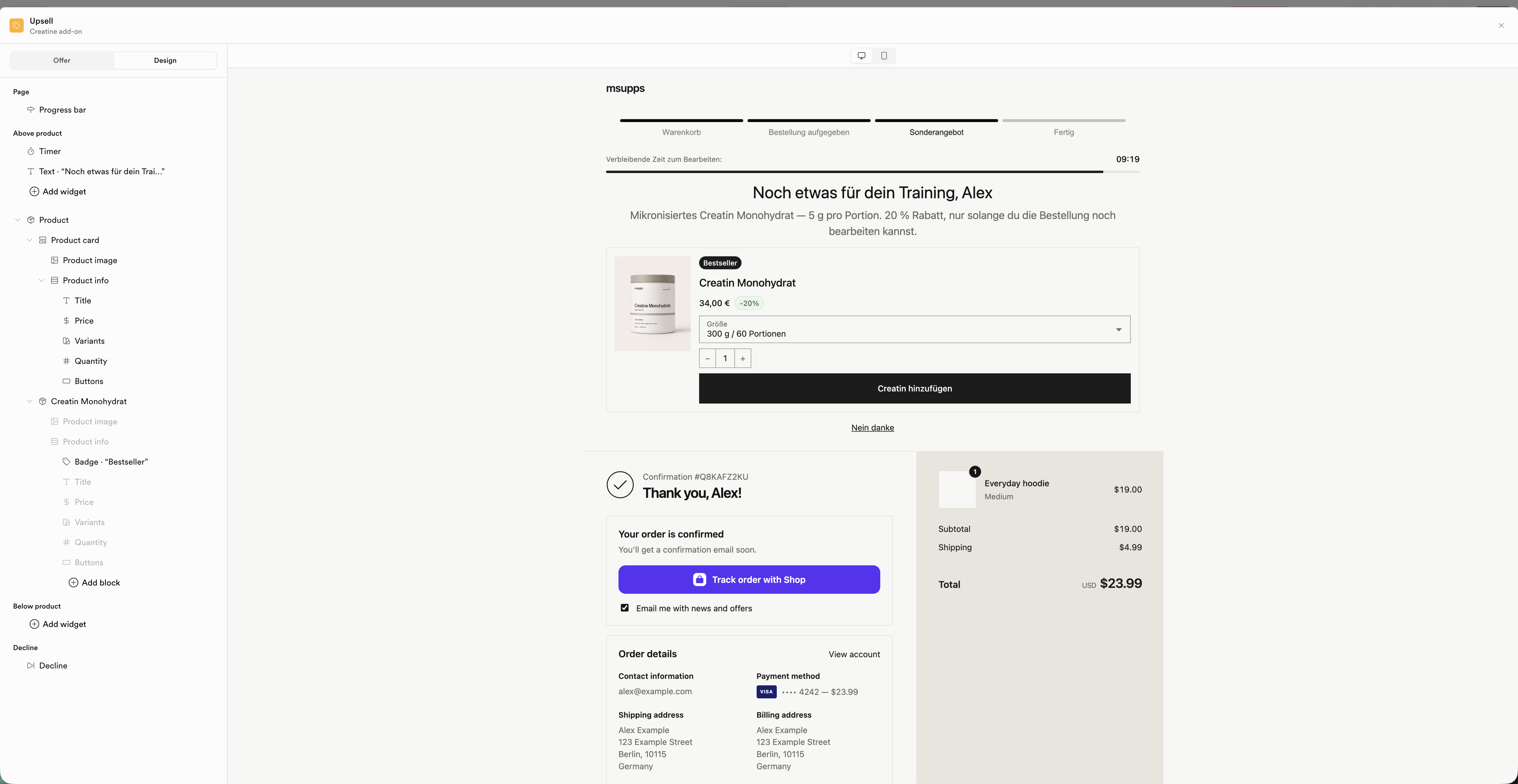
Control layout (horizontal / vertical / shelf), mobile columns, and which widgets appear above or below the product card.
Desktop multi-product preview:
Mobile vertical, one column:
Single-product design tree:
Product selection
Single mode
- Specific product
- Automatic (AI) - complementary product from the Smart Upsells engine
- Most expensive item from the order (re-offer at a discount)
- Least expensive item from the order
Multi mode
- Specific products
- Collection
- Automatic (AI)
Optional: hide products the customer already has in the order. Optional discount: percentage or fixed amount on the offered product.
Outcomes
Each Upsell step branches on customer choice:
| Branch | Typical next step |
|---|---|
| If accepted | Another Upsell, an A/B Split, or Flow ends |
| If declined | A follow-up Upsell (different product or deeper discount) or Flow ends |
Flow settings (right rail)
With no step selected:
- Name - internal flow name
- Starts when - the surface trigger
- Expiry - how long customers have to complete the flow after it is triggered
- Flow execution limits - how many times a flow is offered across a customer's visits
Select a step on the canvas to edit that step's options.
Version history
Open the Latest draft control in the shell to switch between the working draft and published versions.
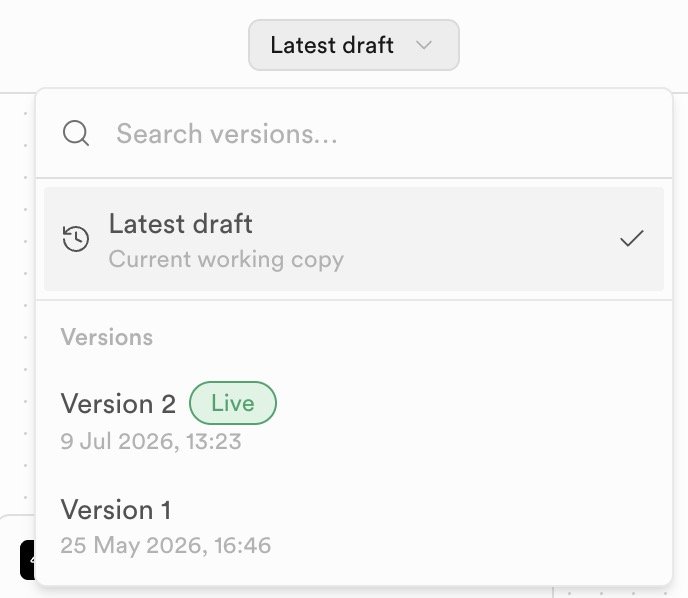
| Entry | What it means |
|---|---|
| Latest draft | Current working copy - edits you have not published yet |
| Versions | Published snapshots with timestamps; the Live badge marks the version currently serving customers |
| Search versions… | Filter the version list when you have many publishes |
Publish promotes the draft into a new numbered version. Discard drops unpublished changes without affecting Live.
Condition facts reference
For the full condition operator list and every pickable fact path (customer + Thank You vs post-purchase context), see the Incentive Engine docs: