Post-purchase page
Shopify's post-purchase interstitial between payment and Thank You - one-tap charge, not Thank You page offers.
Post-purchase page upsells run on Shopify’s native page between payment and the Thank You page. Accepting charges the customer’s saved payment method in one tap. This is not the Thank You page surface.
| This page (Post-purchase page) | Thank You page | |
|---|---|---|
| Timing | After payment, before Thank You | On confirmation / Thank You |
| Accept | Pay now - immediate charge | Add to the order |
| Admin | Upsells → Post-purchase page | Upsells → Thank You page |
| Trigger | Payment completed | Order placed |
| Smart Upsells | No | Yes |
| Extra setup | Select this app in Checkout settings | None |
Select the app in Checkout settings
Shopify only shows one post-purchase app per store. Until memberr is selected, this surface stays silent - Thank You offers can still work. Open Upsells → Post-purchase page and follow the banner:
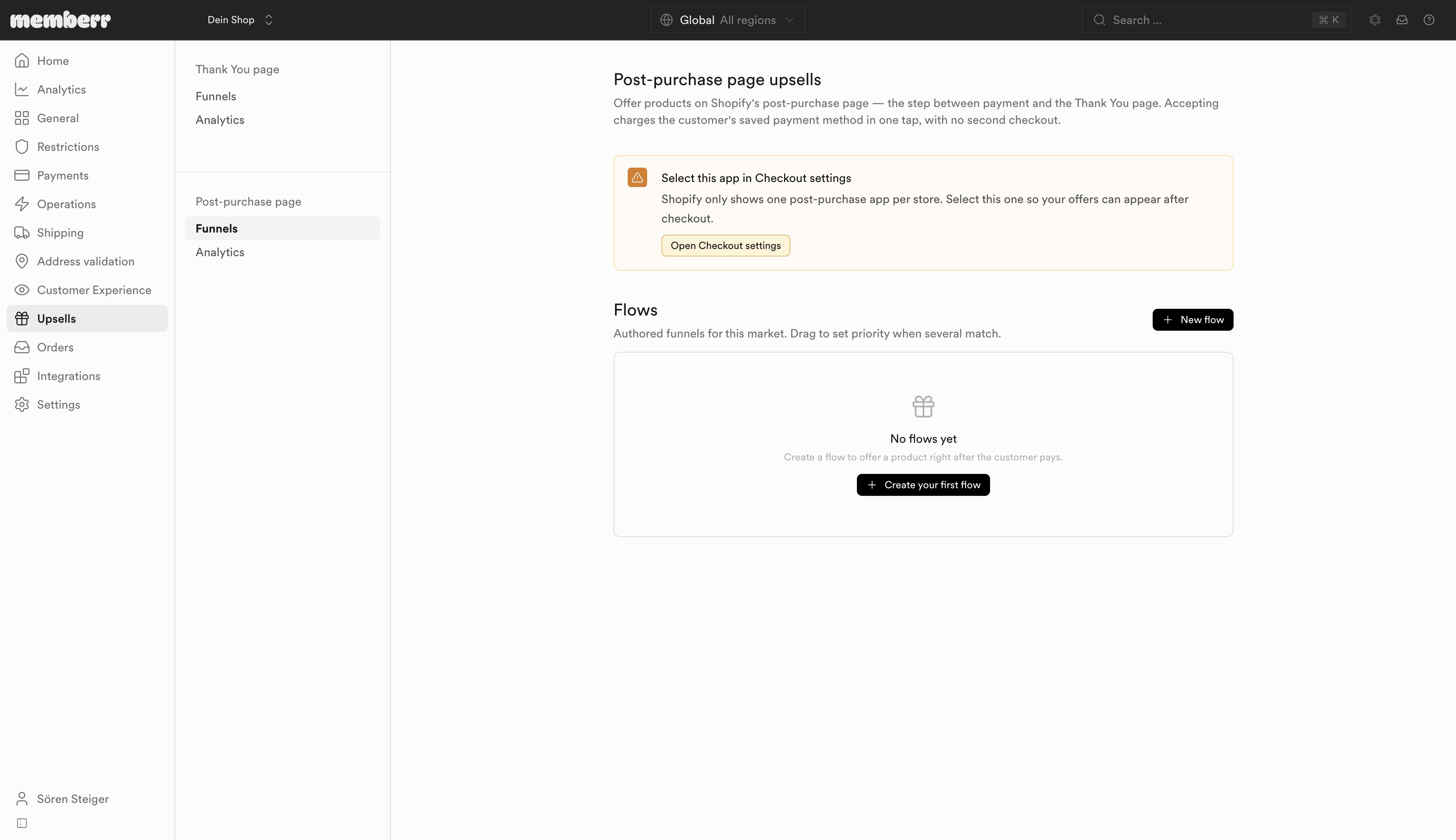
Click Open Checkout settings and select this app so post-purchase offers can appear after checkout.
Flows
Same builder as Thank You flows - see Flow builder - but with trigger Payment completed. Create flows only from Upsells → Post-purchase page; they do not appear on the Thank You page.
| Action | What it does |
|---|---|
| + New flow / + Create your first flow | Creates a flow for this surface |
| Drag | Sets priority when several flows match |
| Configure | Opens the flow editor |
Per-flow metrics: Impressions, Revenue, Conversion rate, Revenue / impression.
Conditions
Post-purchase condition facts are narrower than Thank You flows. You can typically branch on customer profile and purchase context such as subtotal, item count, currency, and destination country - not a full Shopify order object yet.
No full order context
There is no context.order on this surface. Full field list: Post-purchase page facts. Operators: Conditions.
What customers see
Look for Pay now, “You will be charged immediately”, and Decline offer - not Add / No, thanks. After they accept or decline, Shopify continues to the Thank You page (where Thank You offers can still appear).
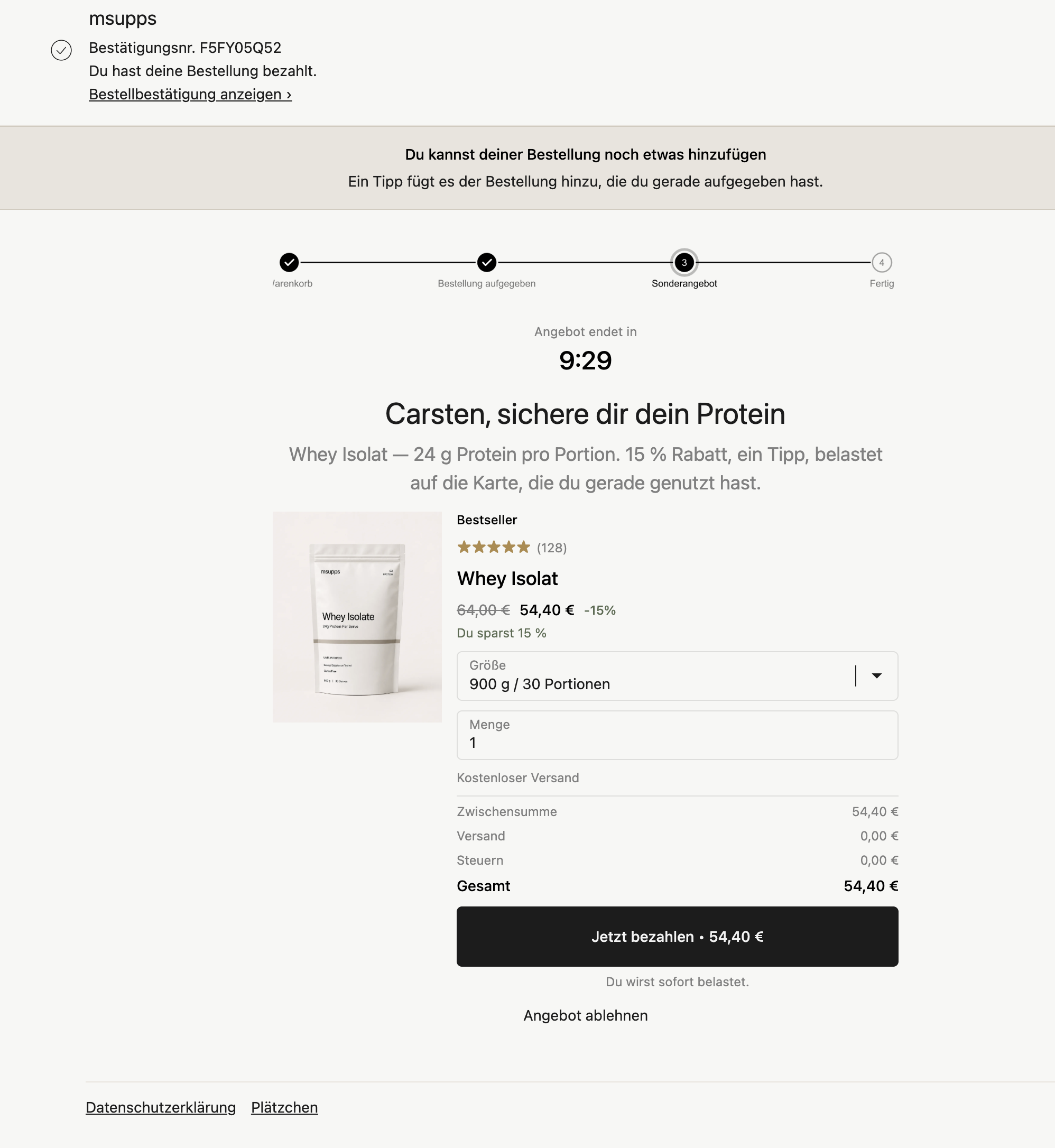
Countdown and social proof variant:
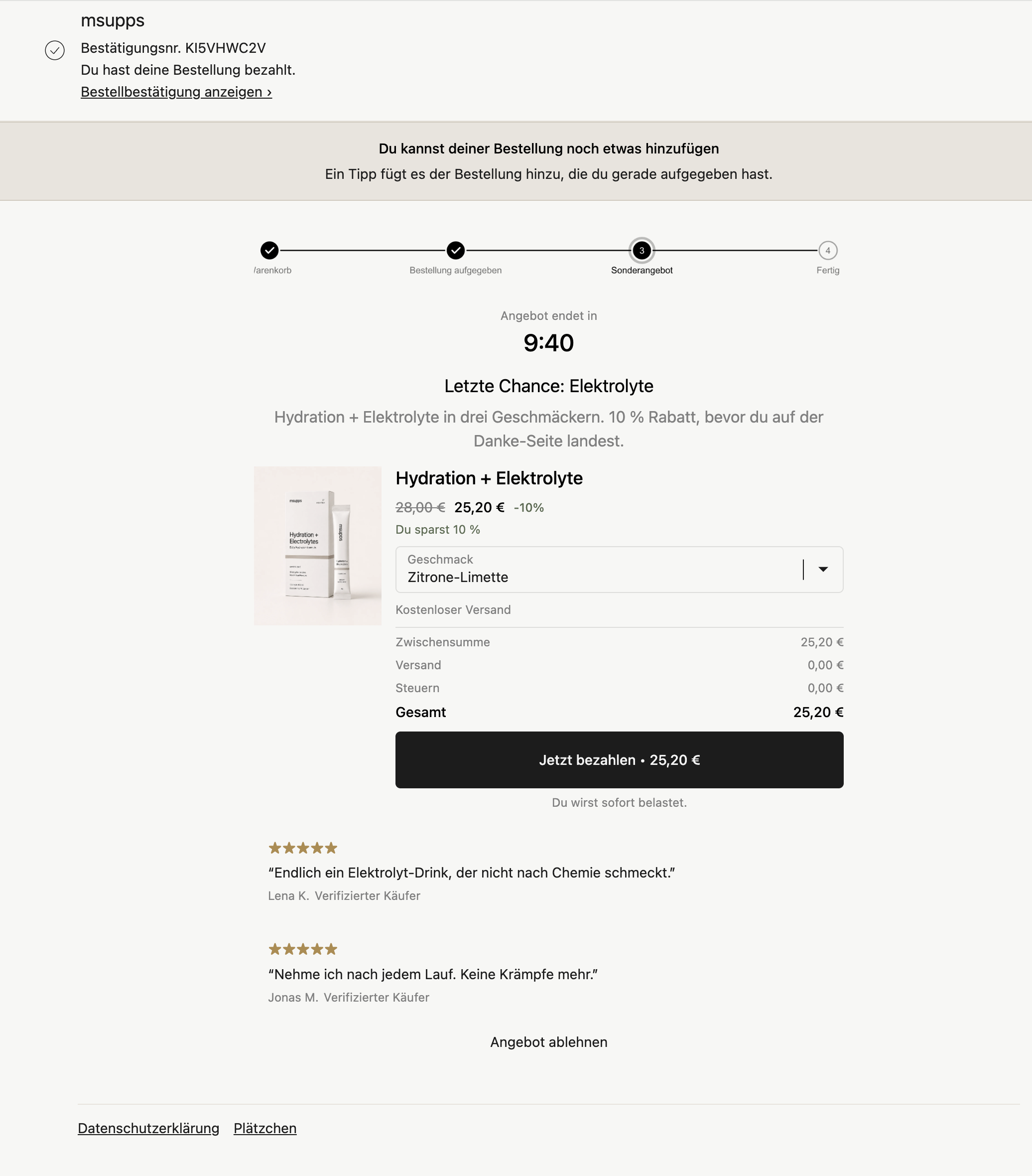
Apparel variants:
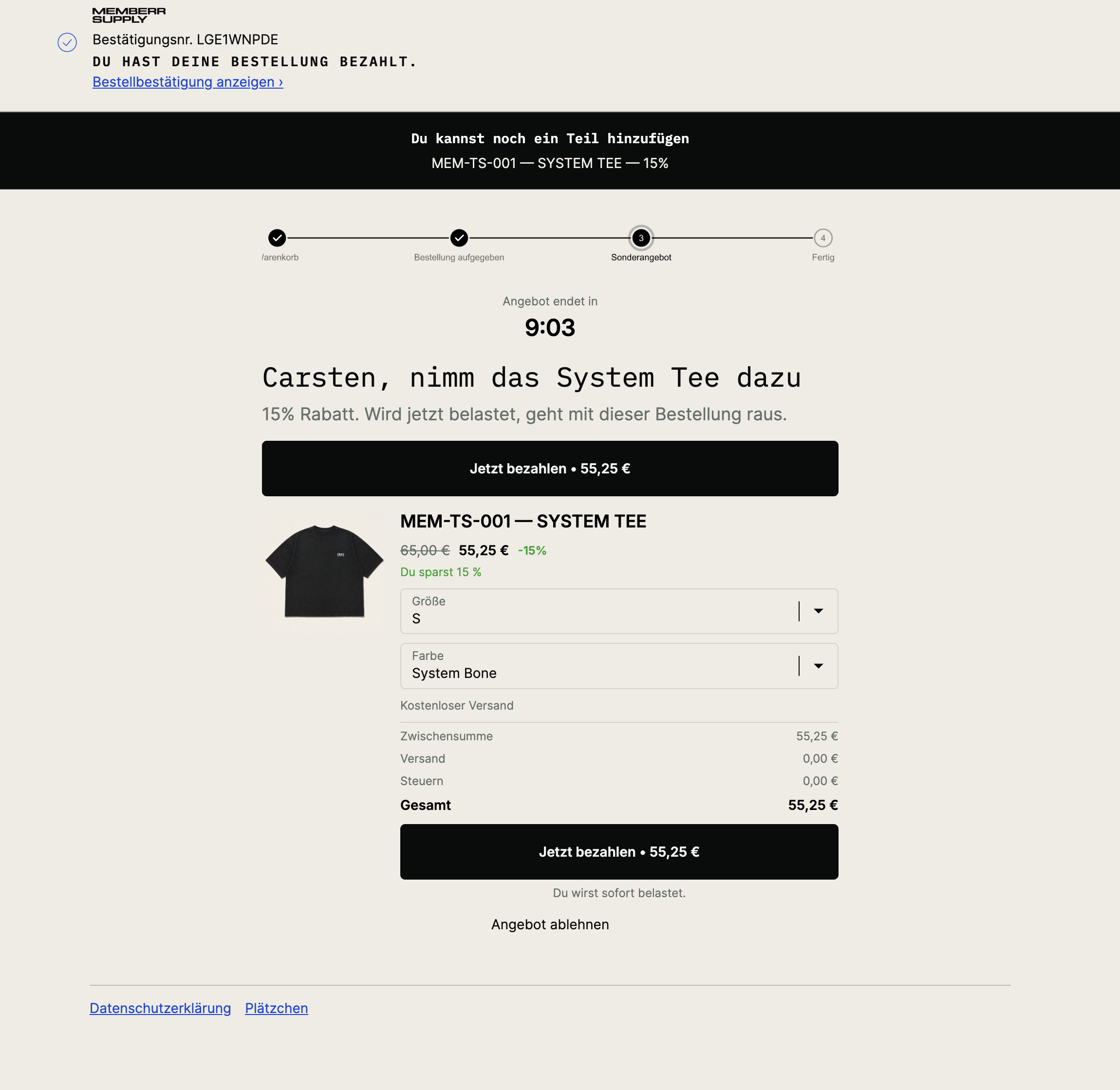
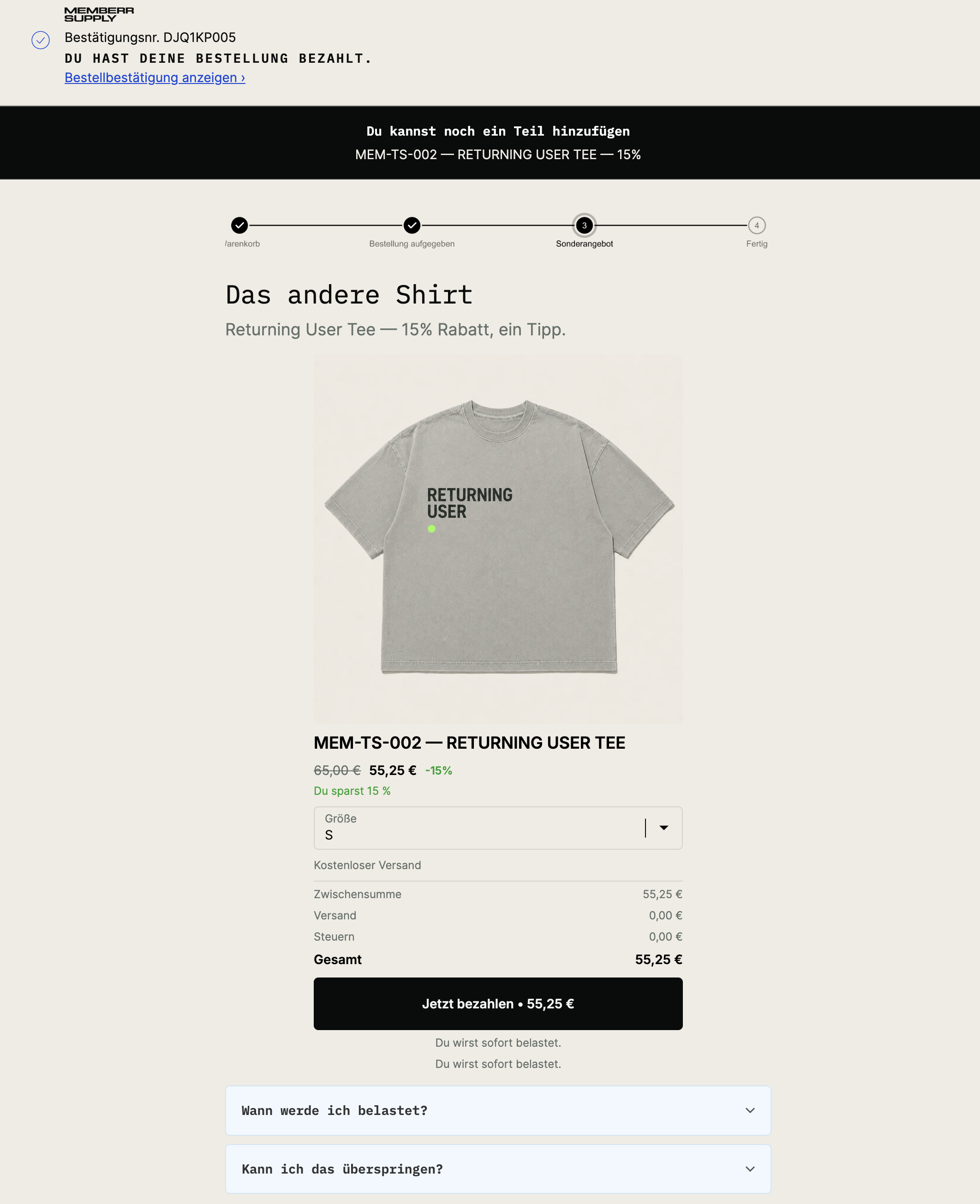
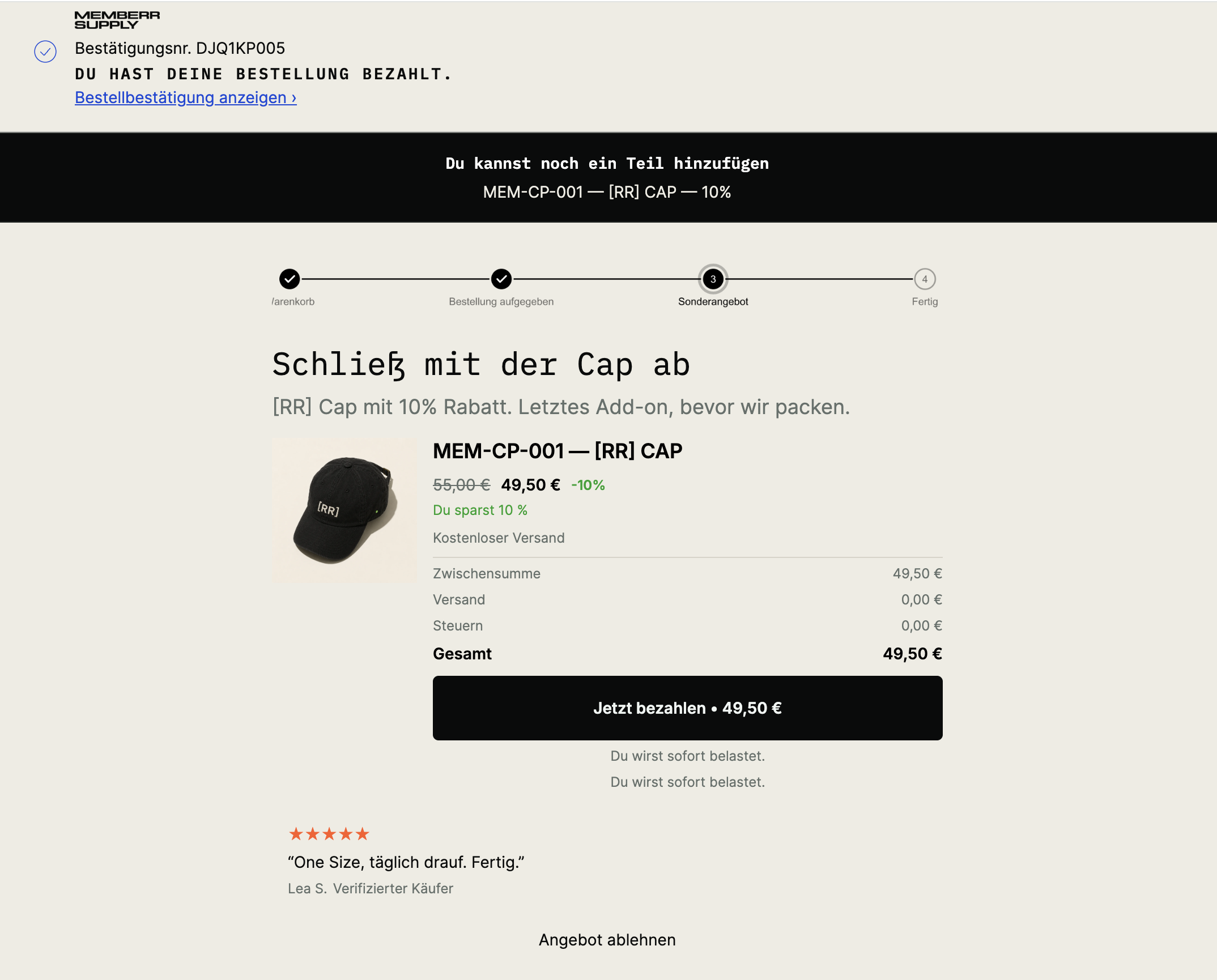
Mobile
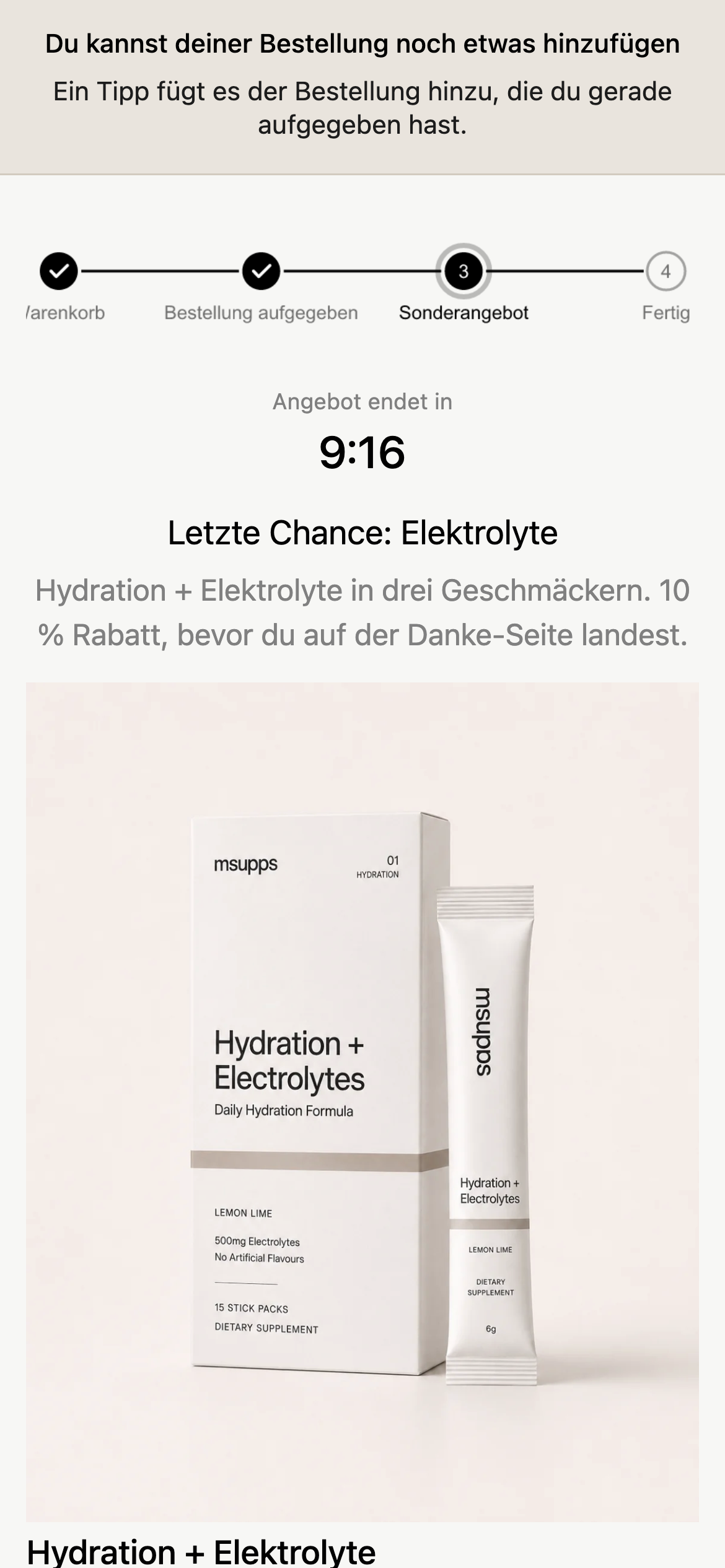
Side-by-side with Thank You: What customers see.
Analytics
Use the Post-purchase page Analytics tab in Upsells, and the org-wide Upsell performance dashboard.