Smart Upsells
AI thank-you-page offers that learn products and the smallest discount needed to convert.
Smart Upsells is an automatic recommendation engine that picks which products to offer on the Thank You page only - and learns the smallest discount needed to win each sale. It does not run on the post-purchase interstitial.
Smart Upsells runs as a single program across your whole store on the Thank You page. Market-specific settings are not available yet - what you set here is used everywhere. For one-tap offers before Thank You, use a post-purchase flow instead.
Configure
Open Upsells → Thank You page → Configure on the Smart Upsells card (or use the settings modal).
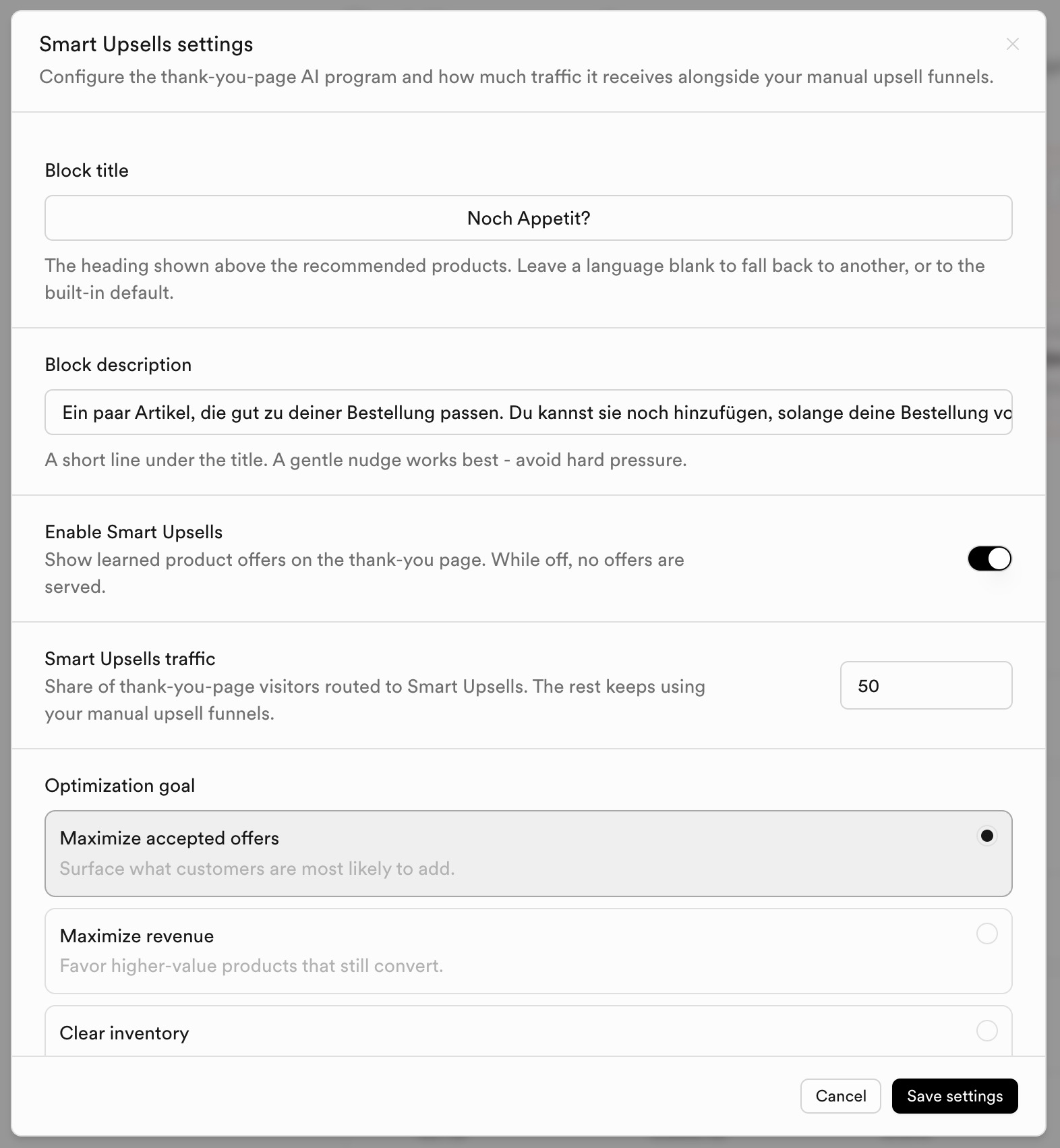
Core settings
| Setting | What it does |
|---|---|
| Block title | The heading shown above the recommended products. Leave a language blank to fall back to another, or to the built-in default. |
| Block description | A short line under the title. A gentle nudge works best. |
| Enable Smart Upsells | Show learned product offers on the thank-you page. While off, no offers are served. |
| Smart Upsells traffic | Share of thank-you-page visitors routed to Smart Upsells (1-100%). The rest keeps using your manual upsell funnels. |
| Optimization goal | What the engine ranks offers for. It keeps learning from real outcomes. |
Optimization goals
| Goal | What it does |
|---|---|
| Maximize accepted offers | Surface what customers are most likely to add. |
| Maximize revenue | Favor higher-value products that still convert. |
| Clear inventory | Push products with stock to move, balanced against demand. |
| Promote new products | Give recently published products a boost. |
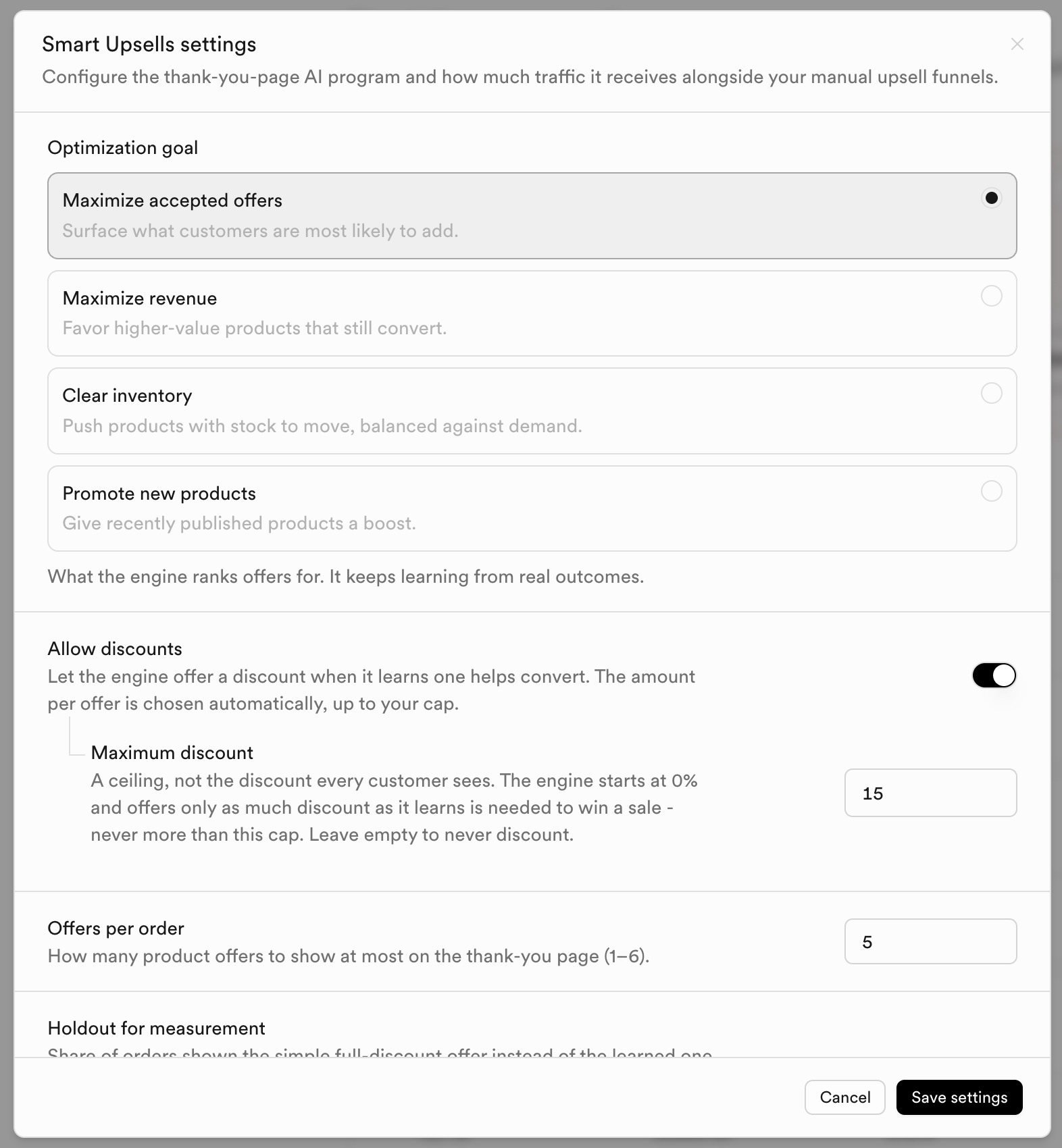
Discounts and measurement
| Setting | What it does |
|---|---|
| Allow discounts | Let the engine offer a discount when it learns one helps convert. The amount per offer is chosen automatically, up to your cap. |
| Maximum discount | A ceiling, not the discount every customer sees. The engine starts at 0% and offers only as much as needed - never more than this cap. Leave empty to never discount. |
| Offers per order | How many product offers to show at most on the thank-you page (1-6). |
| Holdout for measurement | Share of orders shown the simple full-discount offer instead of the learned one (control group). Default 10%. |
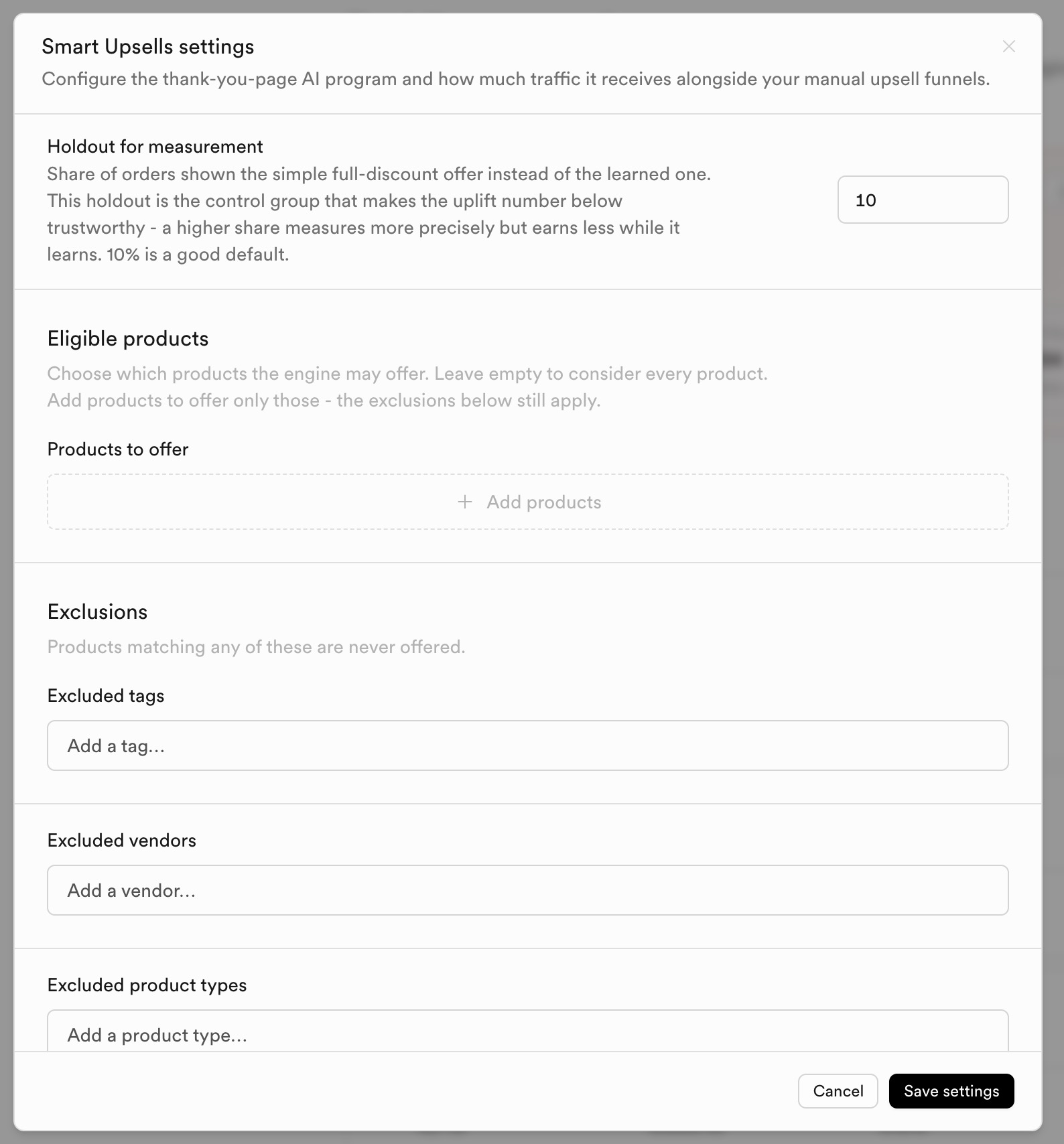
Eligible products and exclusions
| Setting | What it does |
|---|---|
| Products to offer | Whitelist. Leave empty to consider every product (exclusions still apply). |
| Excluded tags | Products matching any tag are never offered. |
| Excluded vendors | Never offer these vendors. |
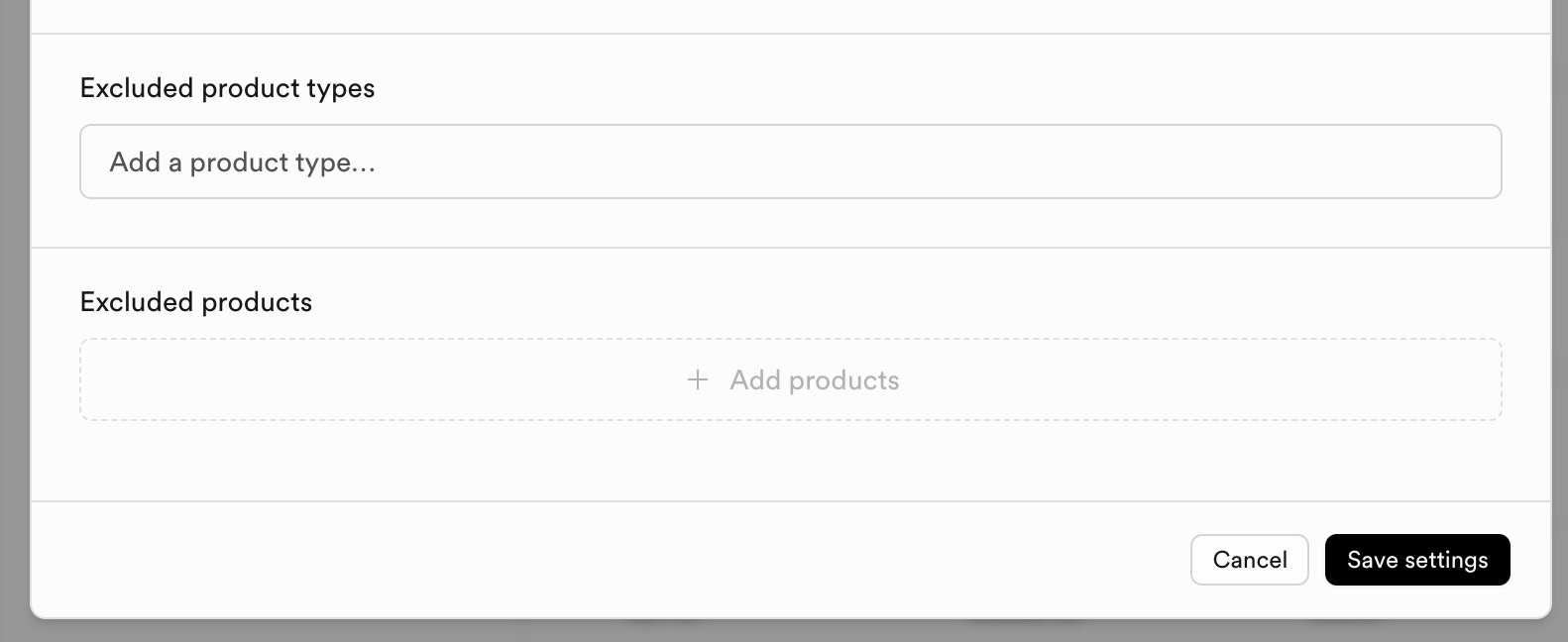
| Excluded product types | Never offer these product types. |
| Excluded products | Never offer these product IDs. |
What customers see
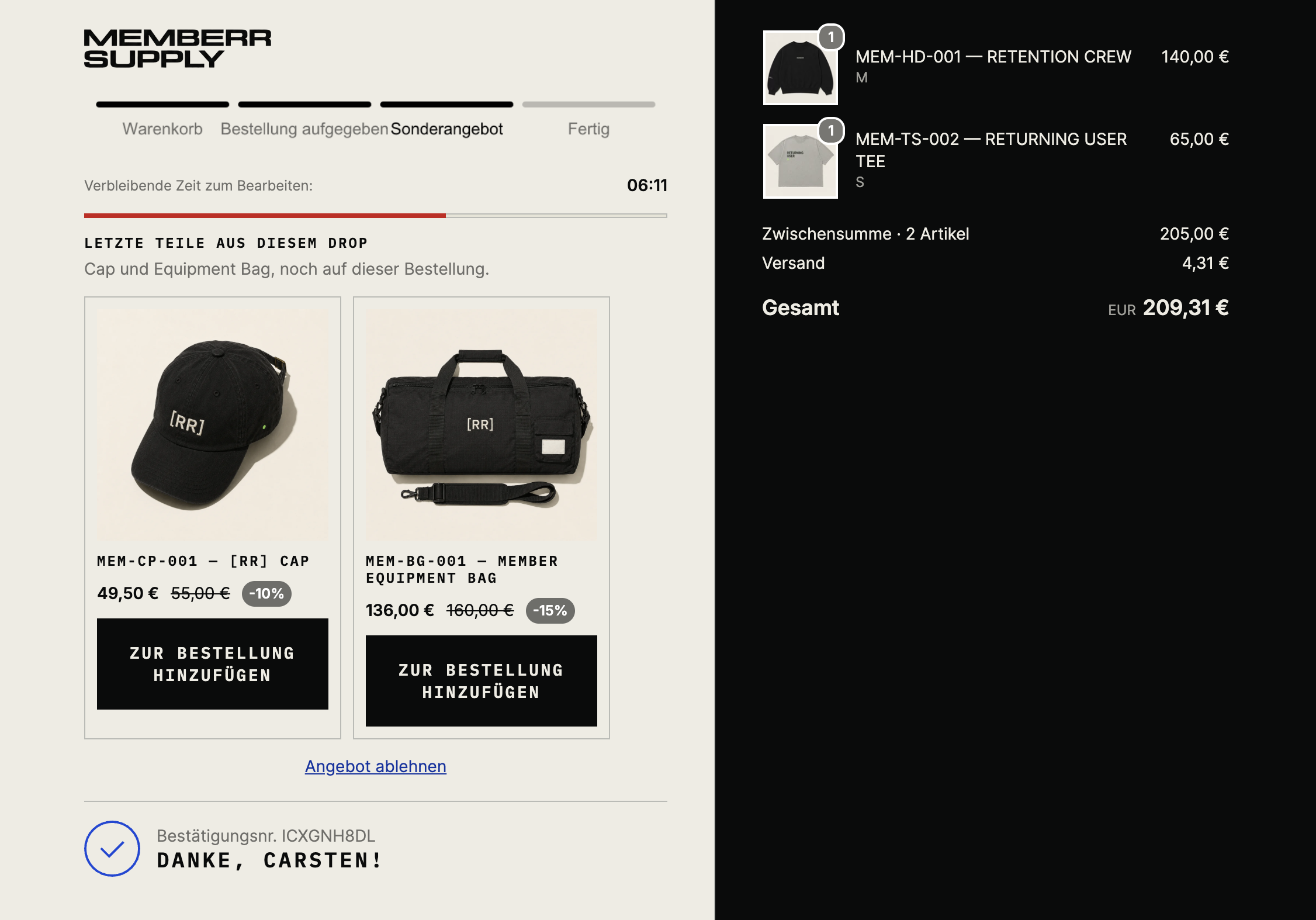
Localized block title and product cards with optional discount badges:
Analytics
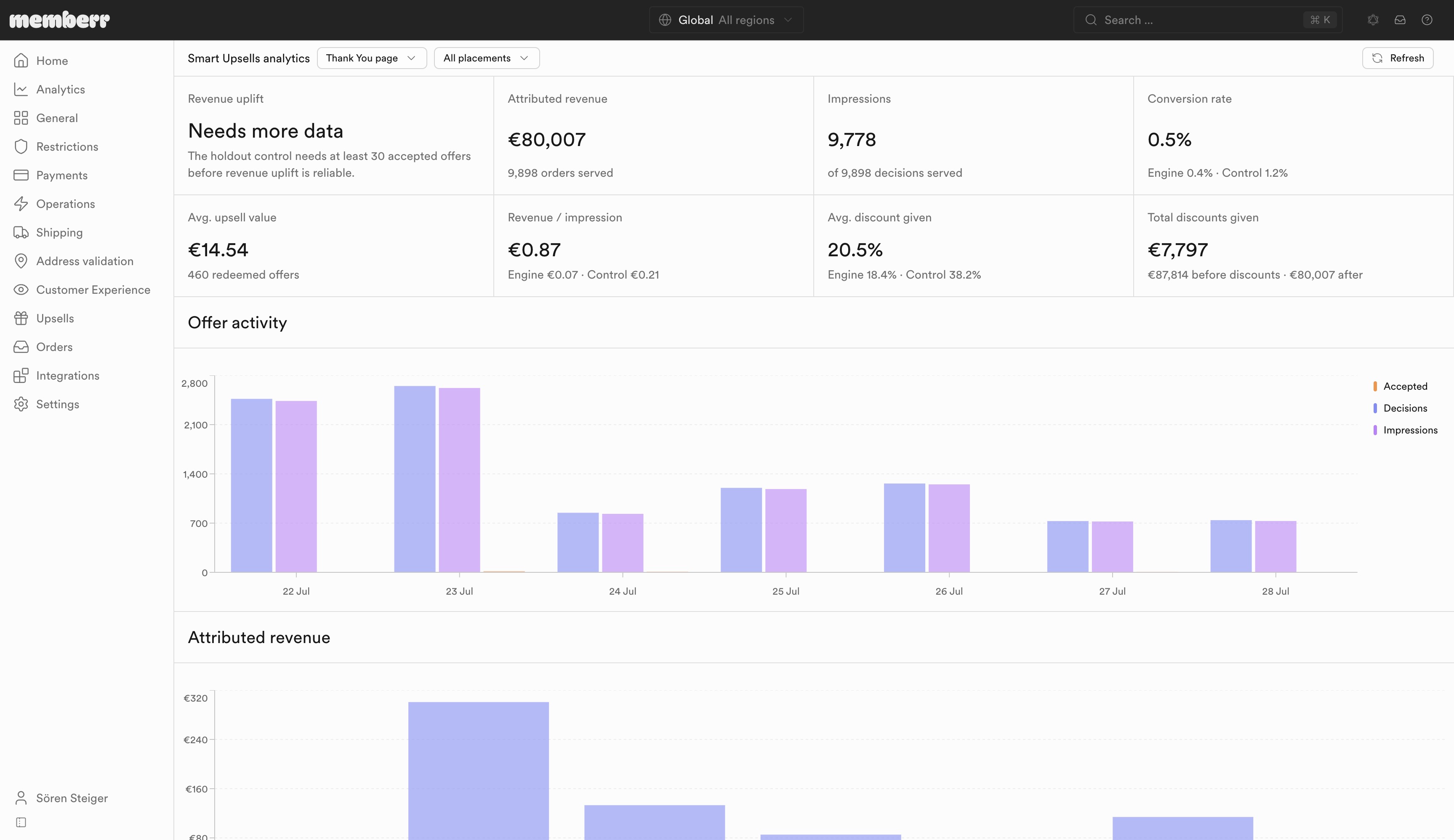
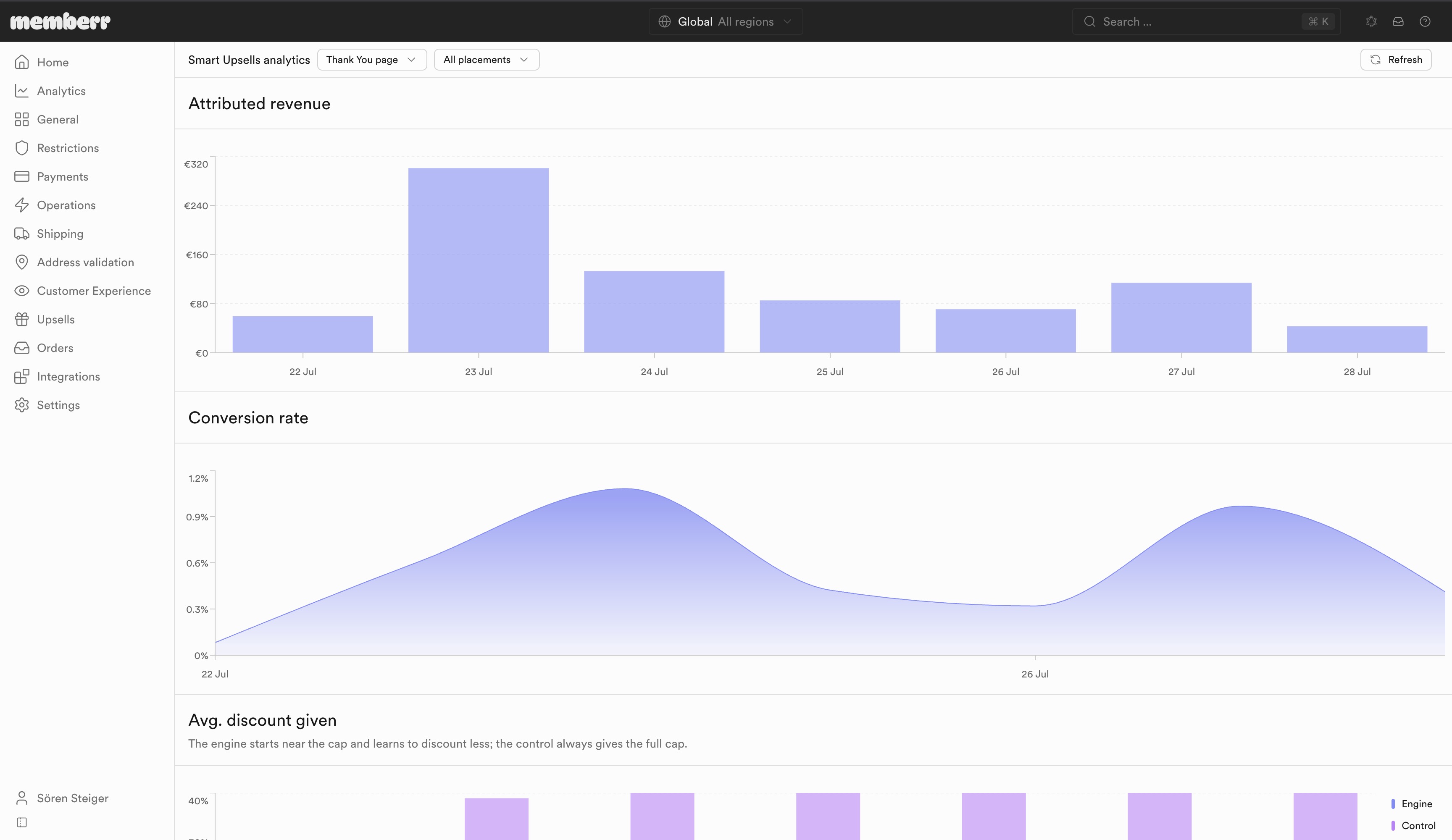
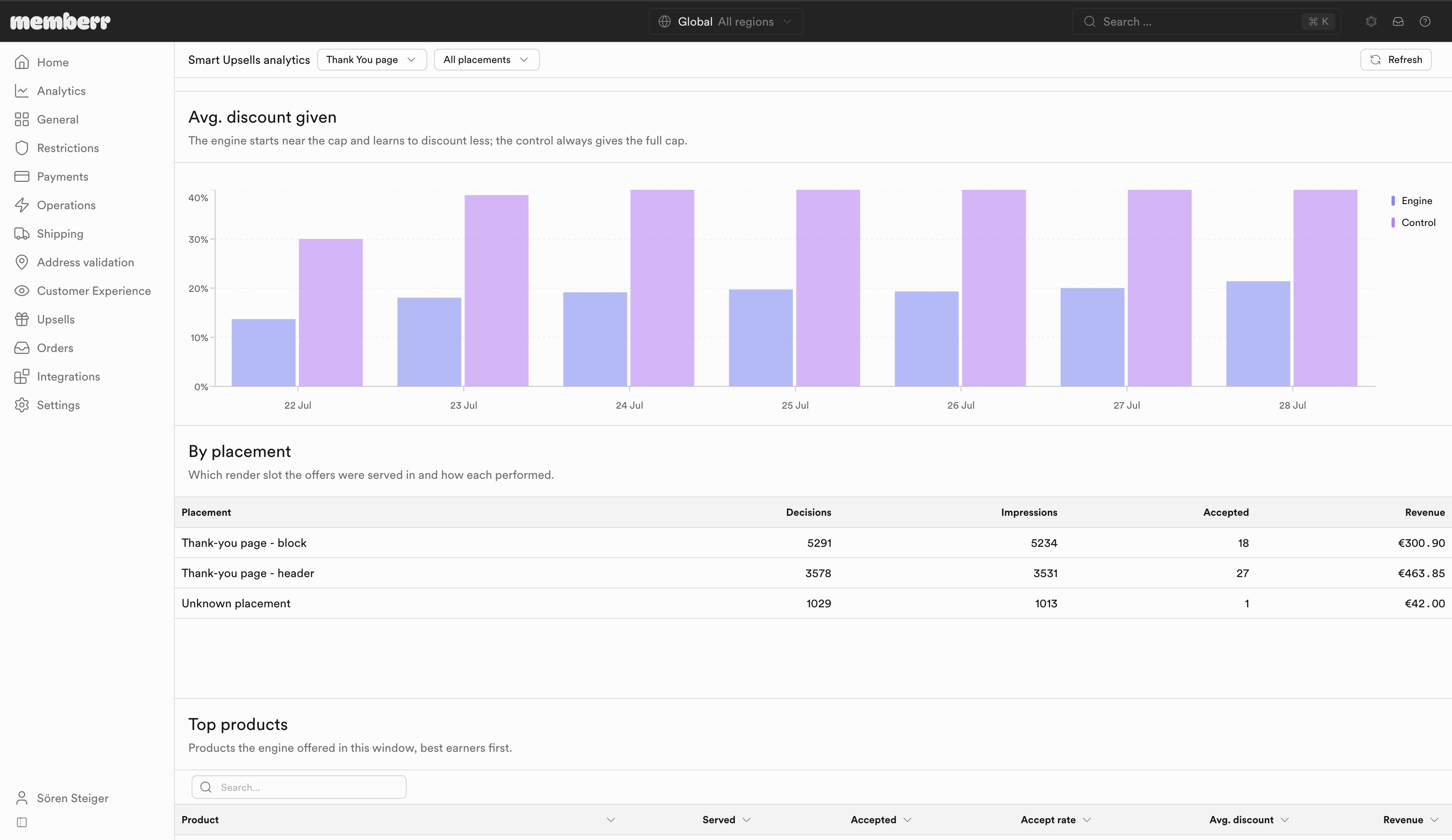
Open Upsells → Thank You page → Smart Upsells → Analytics (or the Analytics link on the Smart Upsells card).
| Metric | What it means |
|---|---|
| Revenue uplift | Revenue per shown order from the learned engine versus the holdout control. Needs at least 30 accepted holdout offers before the number is reliable. |
| Attributed revenue | Total revenue attributed to accepted offers. |
| Impressions / Conversion rate | Offers shown and accepted, with Engine vs Control comparison. |
| Avg. discount given | Average discount offered; engine vs control (control usually gives the full cap). |
Filter by Thank You page placement and date range. Also see org-wide Upsell performance.
Incentive Engine reference
Smart Upsells is powered by the same engine as authored flows. It has no separate fact catalog - Thank You authored flows reuse the Thank You surface fields.