Customer Experience
Customer experience
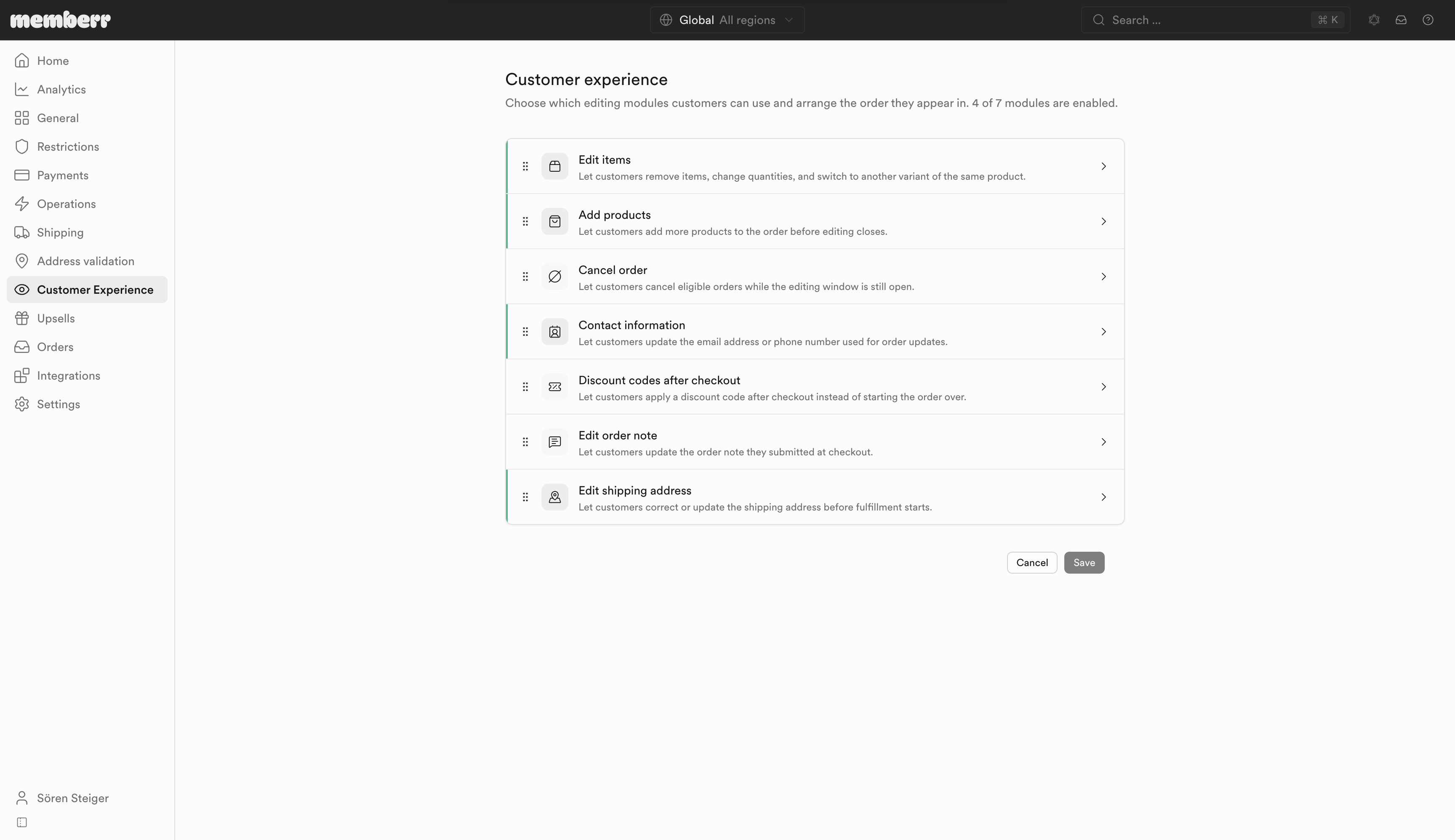
Choose which editing modules customers can use and arrange the order they appear in.
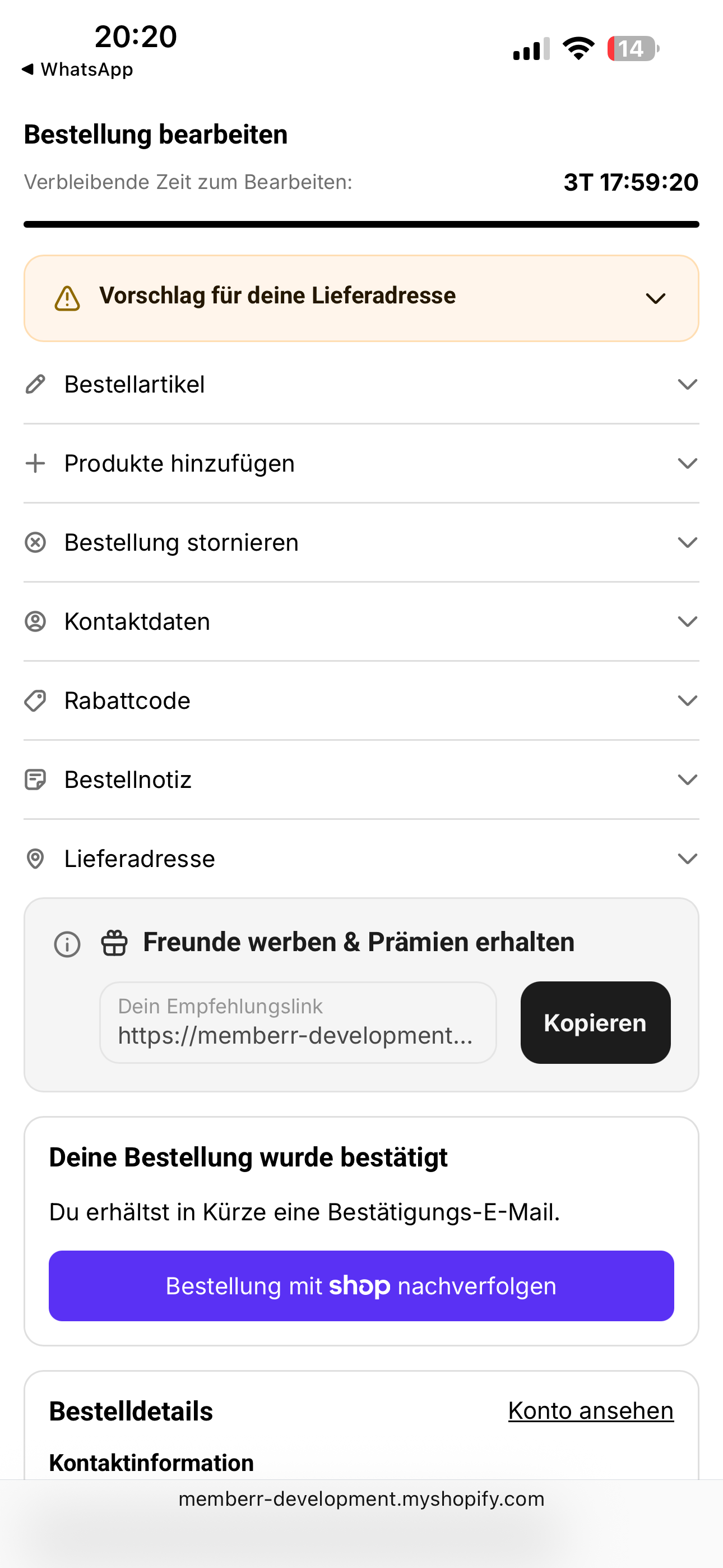
Customer experience turns modules on or off and sets the order of the accordion on the Thank You and order status pages. The summary shows how many of the seven modules are enabled.
How it works
- Open Customer Experience in the sidebar.
- Drag modules to set the order customers see.
- Click a module to configure its settings (or use the cards below).
- Save.
The storefront accordion follows the same order:
Modules
Edit items
Remove items, change quantities, switch variants.
Add products
Browse catalog, a collection, or a fixed product list.
Cancel order
Self-serve cancel with refund handling.
Contact information
Update email and phone on the order.
Discount codes
Apply a code after checkout.
Order note
Update the checkout order note.
Shipping address
Correct the delivery address before fulfillment.