What customers see
How the Thank You page, order status page, and post-purchase interstitial look to customers.
This page shows the customer-facing experience so you can match admin settings to what shoppers actually see. Screenshots are from a German storefront; the extension uses the shop language.
Surfaces
| Surface | Role |
|---|---|
| Thank You page | Confirmation, optional upsell cards (Add / Smart Upsells), then the Edit order block with countdown and modules |
| Order status page | Same edit shell while the editing window is open |
| Post-purchase page | Shopify step between payment and Thank You - Pay now / immediate charge (not the edit shell) |
Upsell surfaces compared in detail: Upsells → What customers see.
Payment → Post-purchase page (Pay now) → Thank You (Add offers + edit order)Thank You page layout
Top to bottom on a typical Thank You page:
- Order confirmation (confirmation number, thank-you message)
- Upsell offers (Smart Upsells or an authored flow) - product cards with Add and No, thanks
- Edit order heading and remaining-time countdown
- Address-validation banner (when a better address was found)
- Accordion modules in the order you set under Customer experience
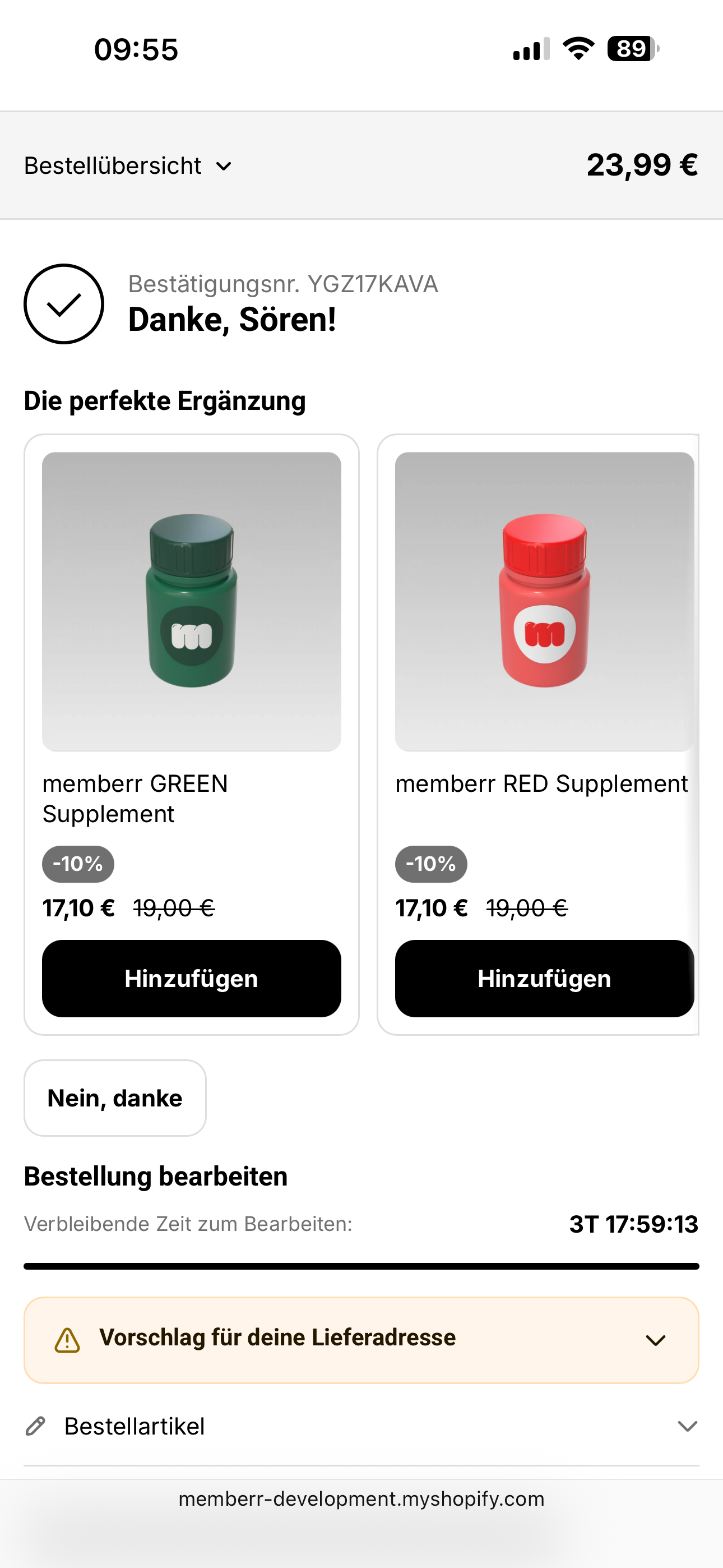
Edit-order shell
The full module list with countdown looks like this:
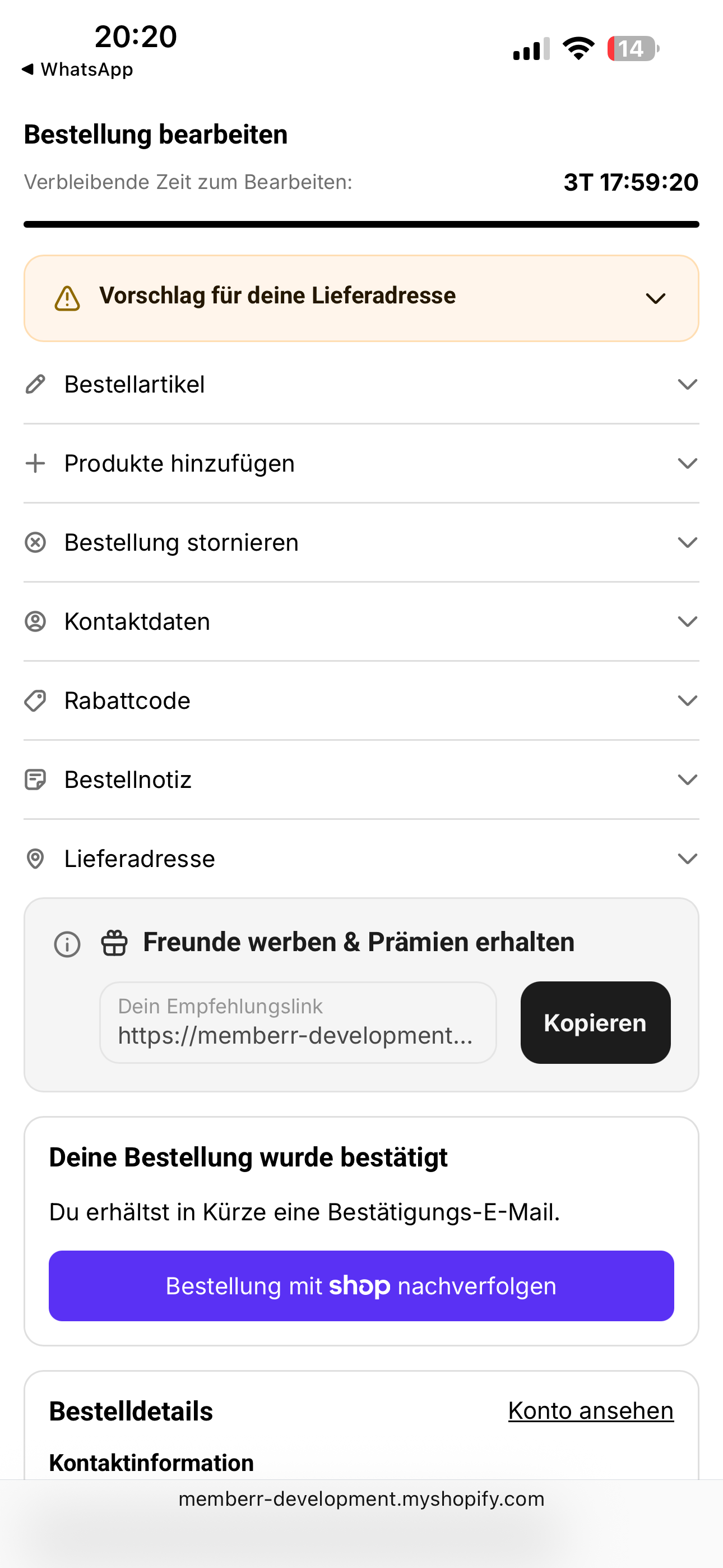
Modules map 1:1 to Customer Experience settings: Edit items, Add products, Cancel order, Contact information, Discount codes, Order note, Edit shipping address.
Upsell cards on Thank You
These sit on the confirmation page (often above edit order). Primary action is Add - not Pay now.
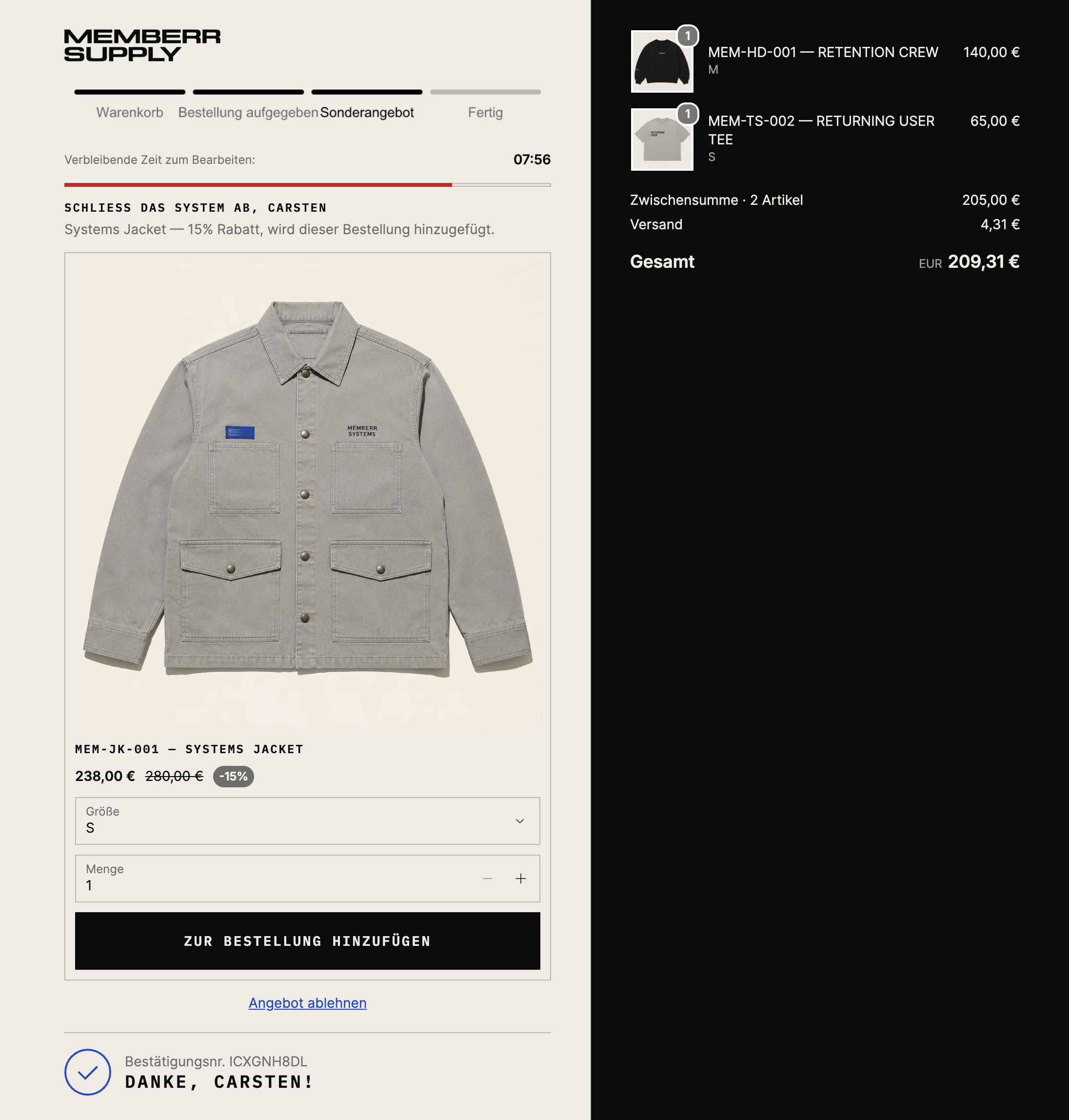
Multi-product layouts:
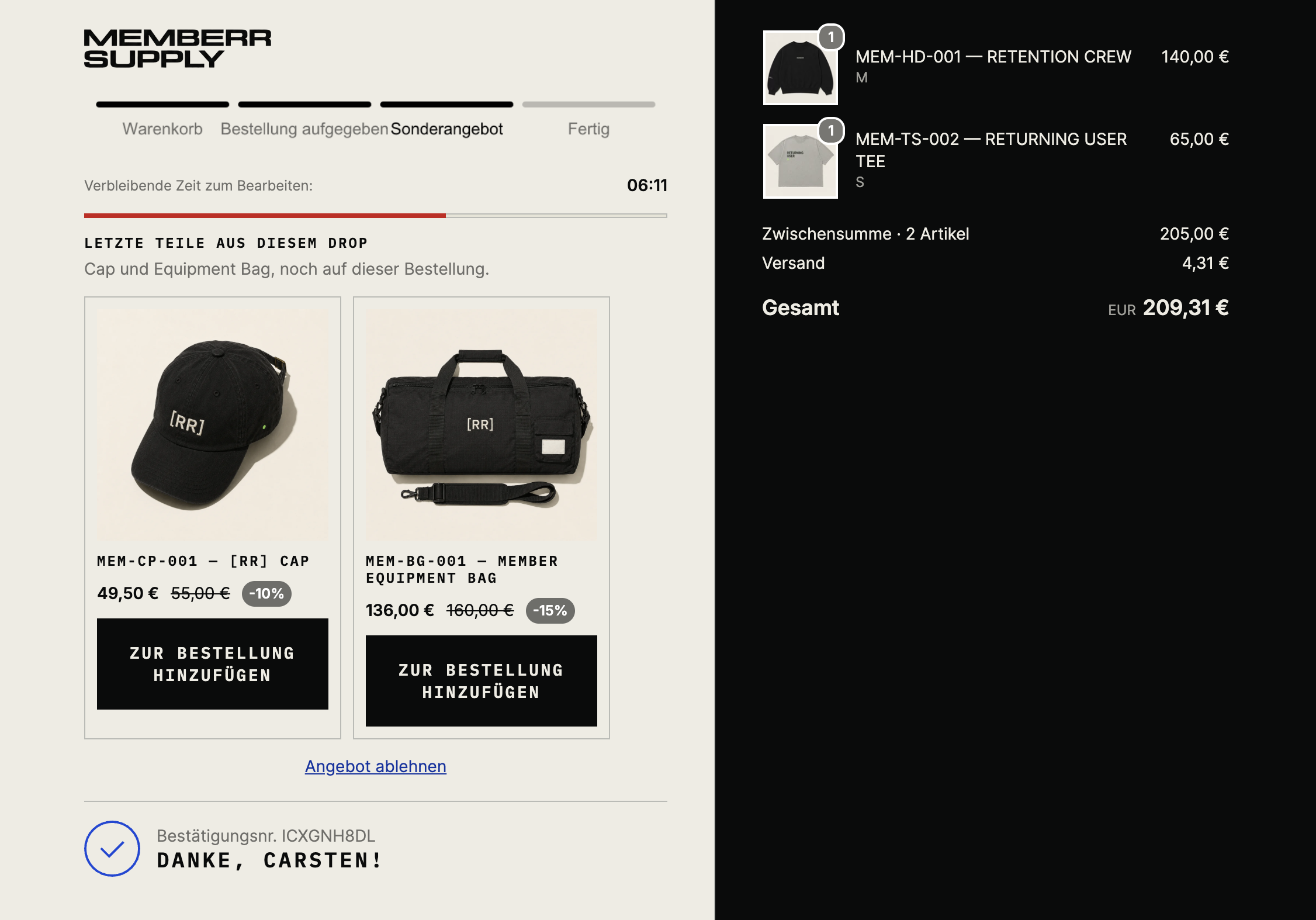
Configure under Thank You page upsells and Smart Upsells. Full gallery: Upsells → What customers see.
Post-purchase interstitial
This is not the Thank You page. It appears after payment and before Thank You. Accepting charges the saved payment method immediately (Pay now / Decline offer). Order editing does not run here.
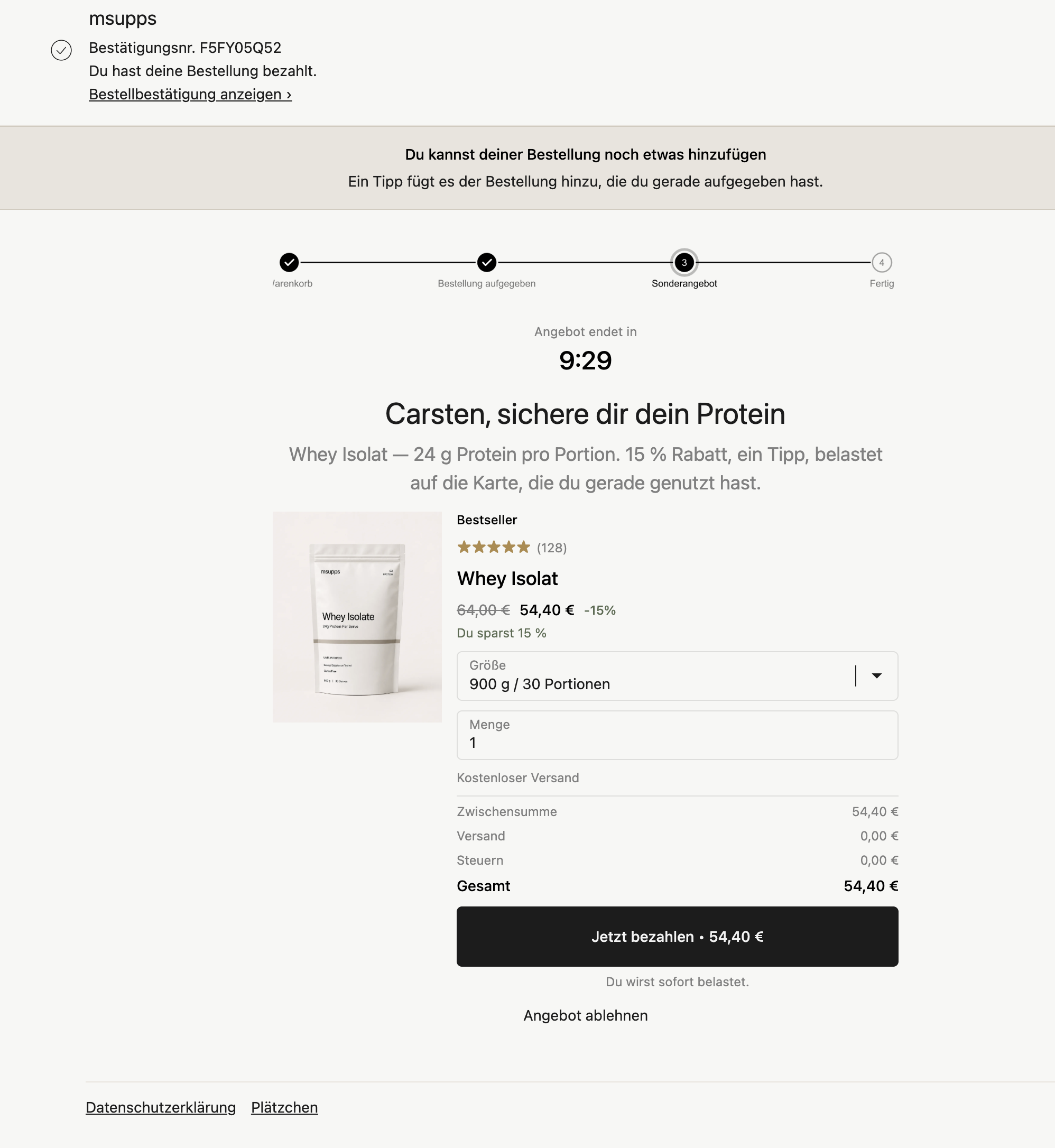
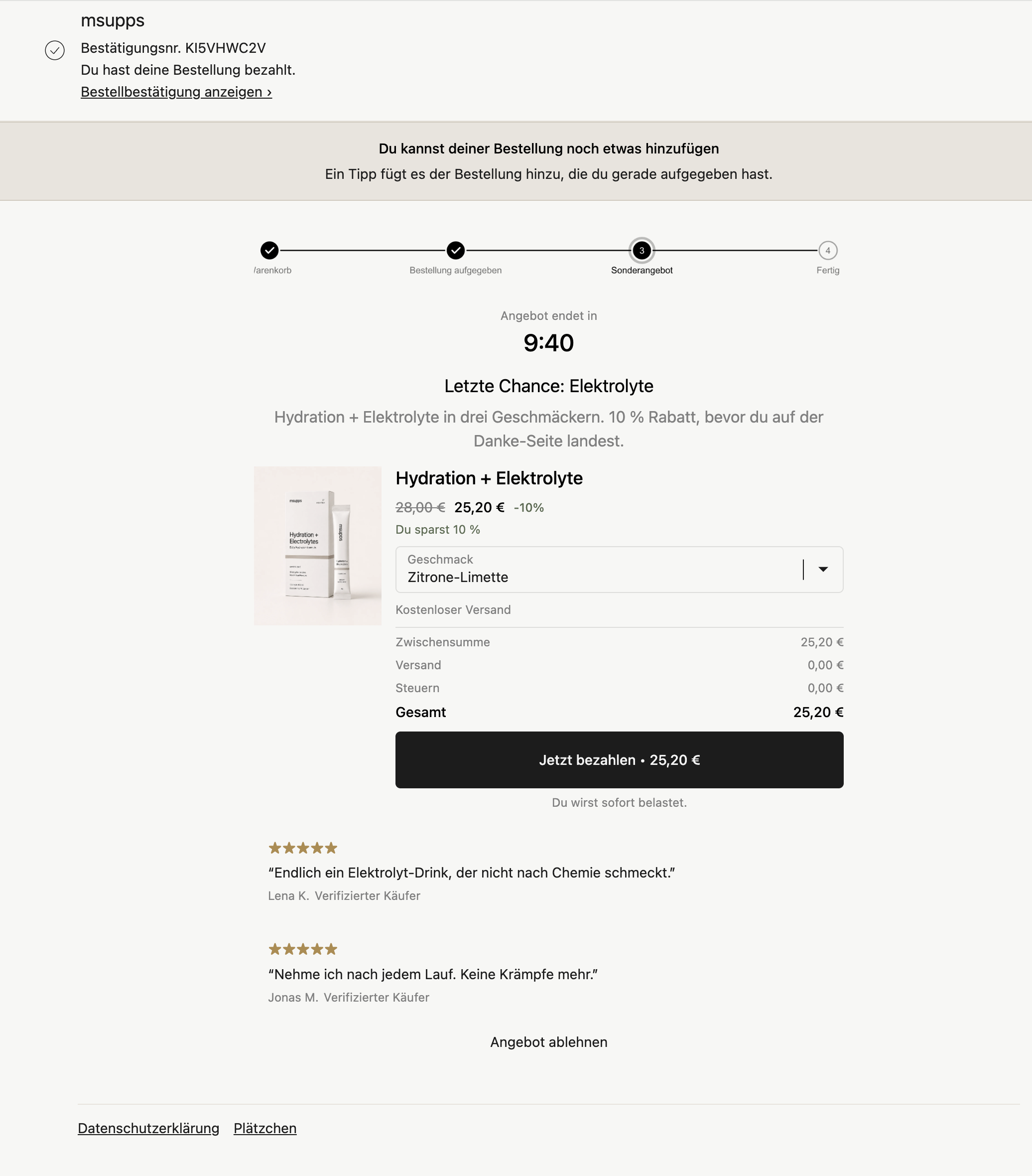
See Post-purchase page upsells. Shopify only shows one post-purchase app per store - select memberr in Checkout settings.
Some Thank You screenshots also show a Refer friends & receive rewards card. That block is from memberr Loyalty, not Order Editing.